



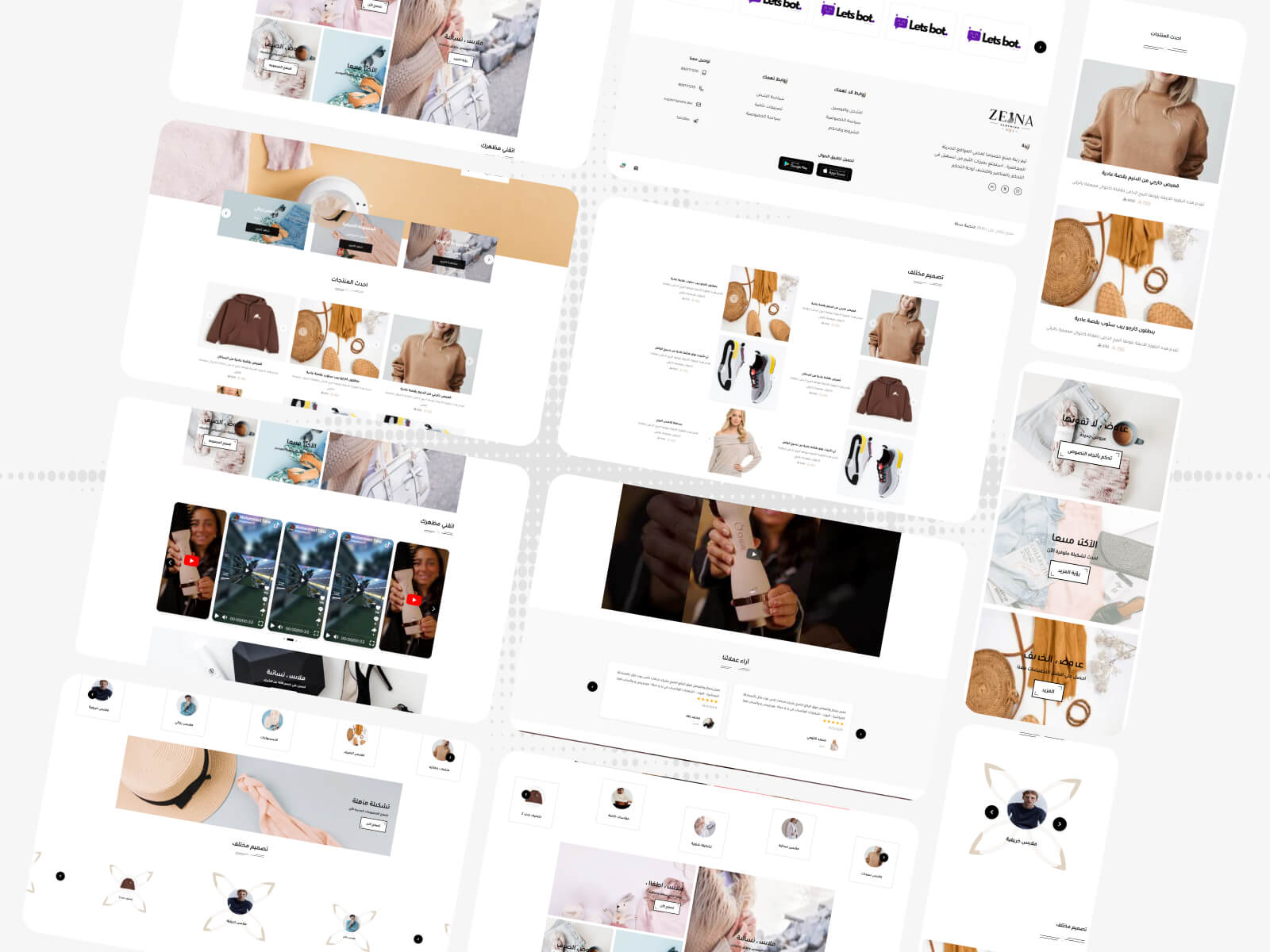
Zeinty
A professional Salla theme. A modern, easy-to-customize design for your online store.
Theme features
Mobile-friendly
A responsive design that works on every screen size and device
Fast load speed
Optimized performance for blazing-fast load speeds that improve user experience
Easy to customize
An easy control panel to customize colors, fonts, and sections without coding
SEO-optimized
Clean, optimized HTML structure to boost your store visibility in search results
Continuous tech support
A dedicated support team ready to help via WhatsApp and phone
Compatible with Salla
A theme built specifically for Salla with full support for every platform feature
Theme user guide
Design options
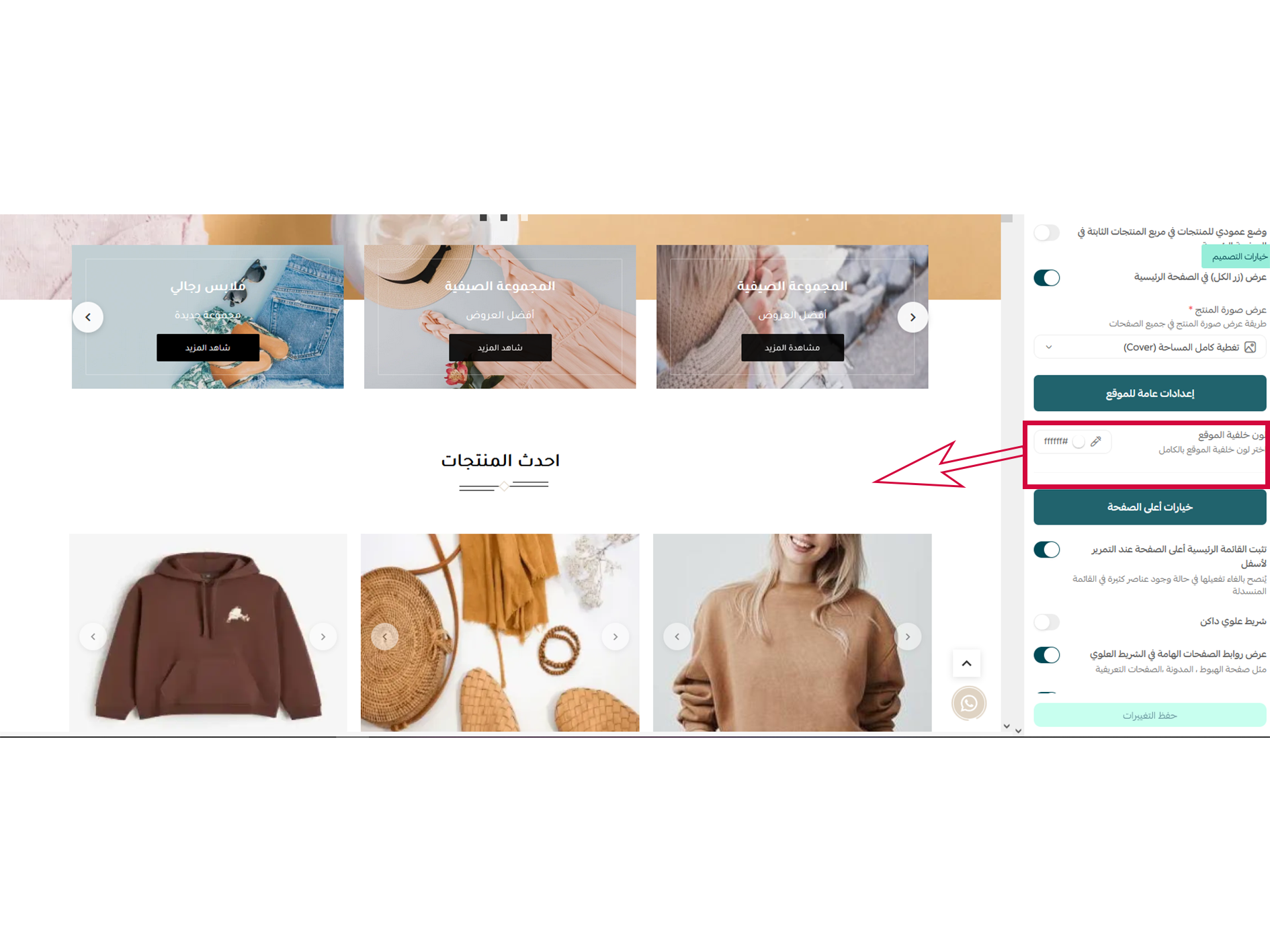
This option changes the background color of the entire website
Design options
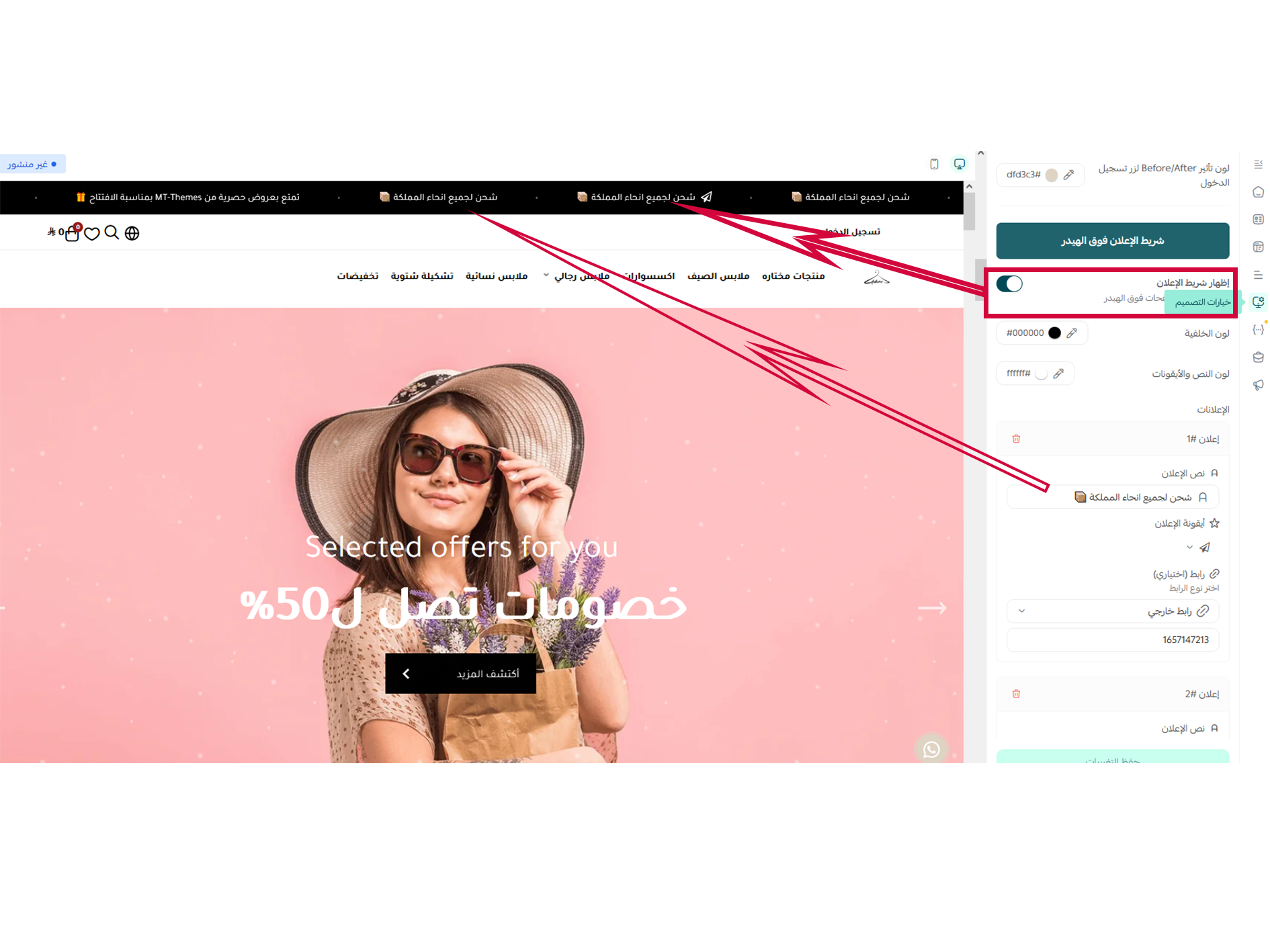
This option allows you to customize the text and background colors of the top announcement bar, as well as add text and links.
Design options
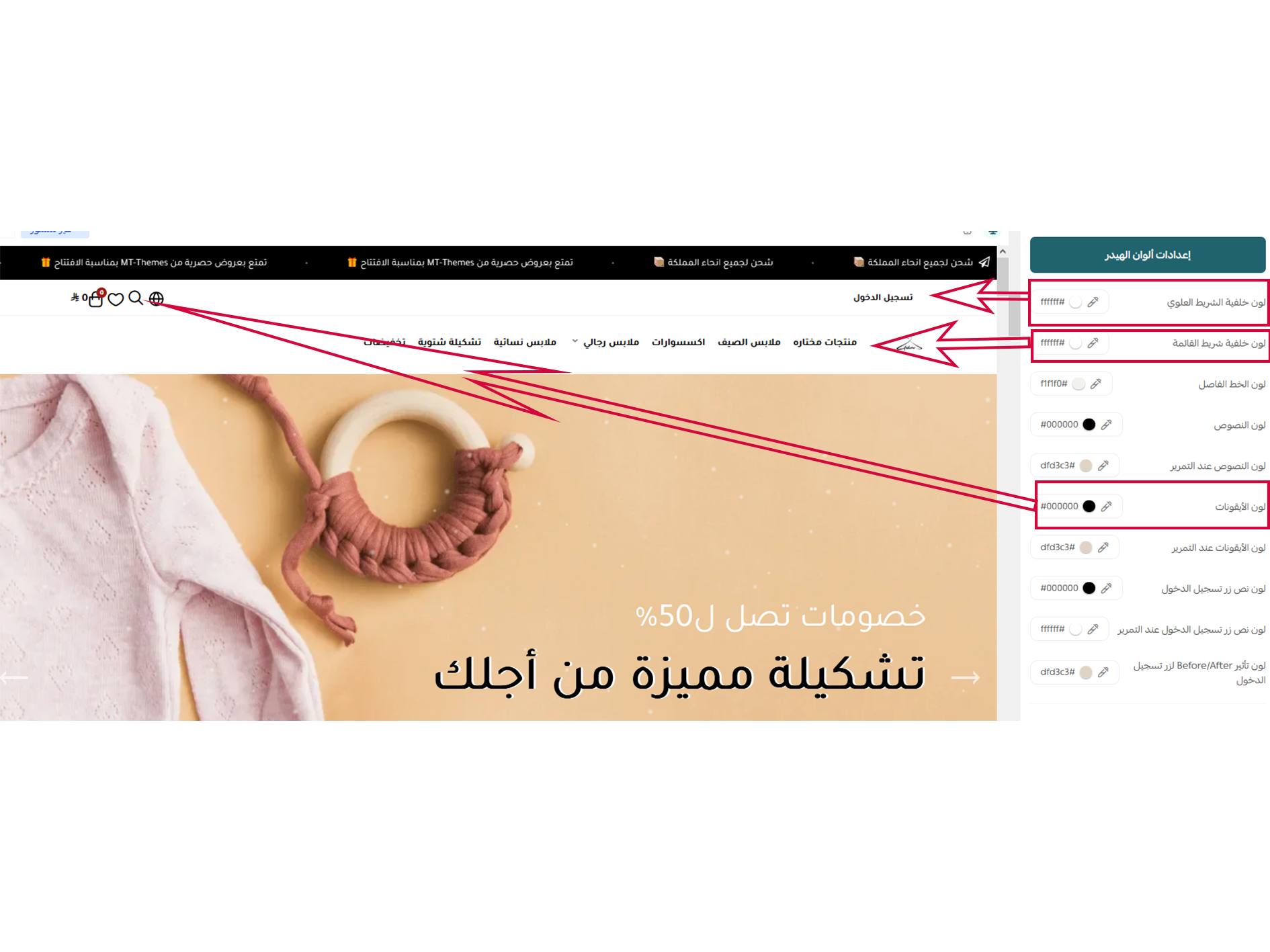
This setting allows you to change the text color and background of the header bar, as well as insert text and links.
Design options
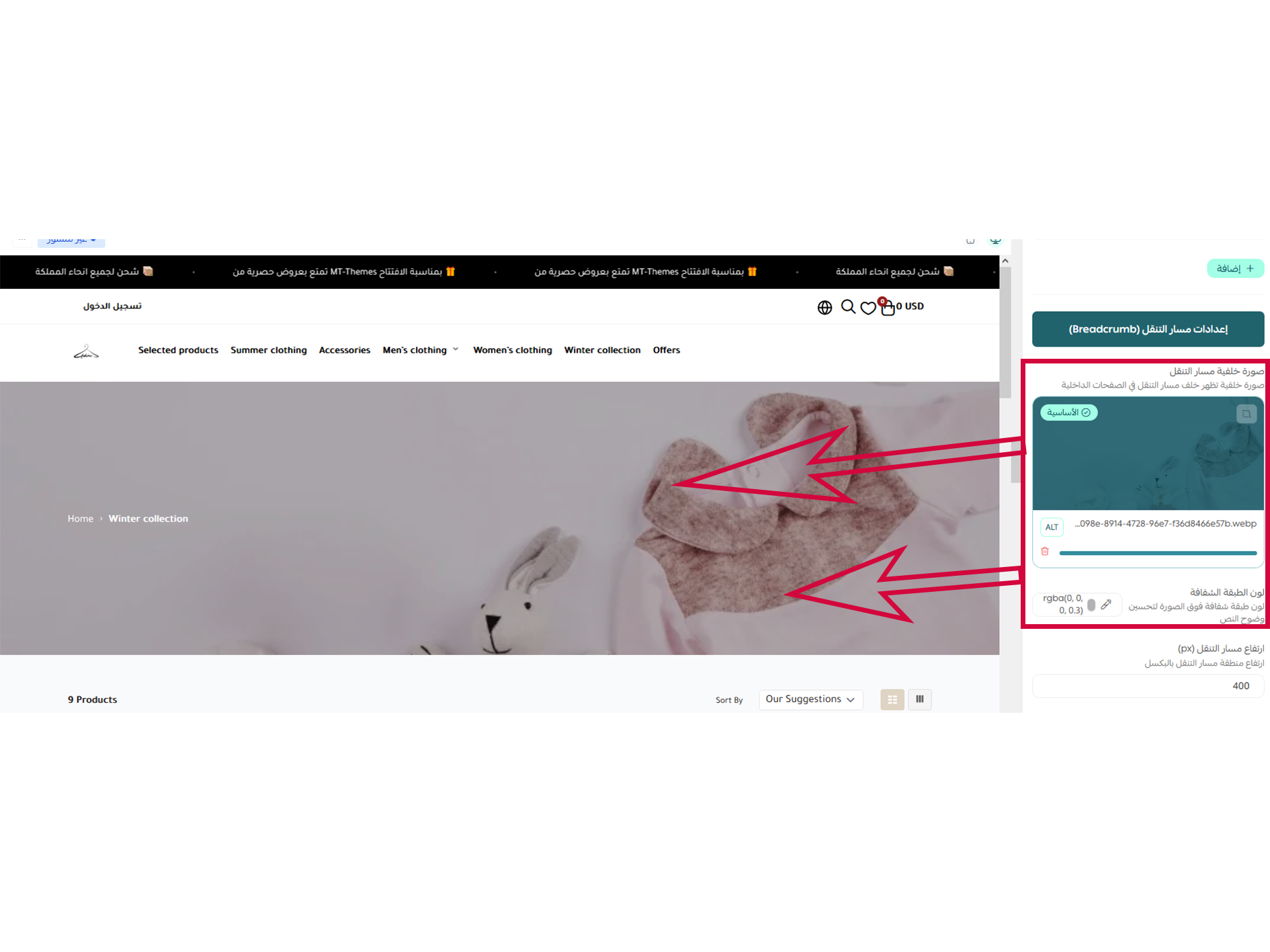
This option modifies the background of the inner pages and adjusts the background height.
Design options (WhatsApp)
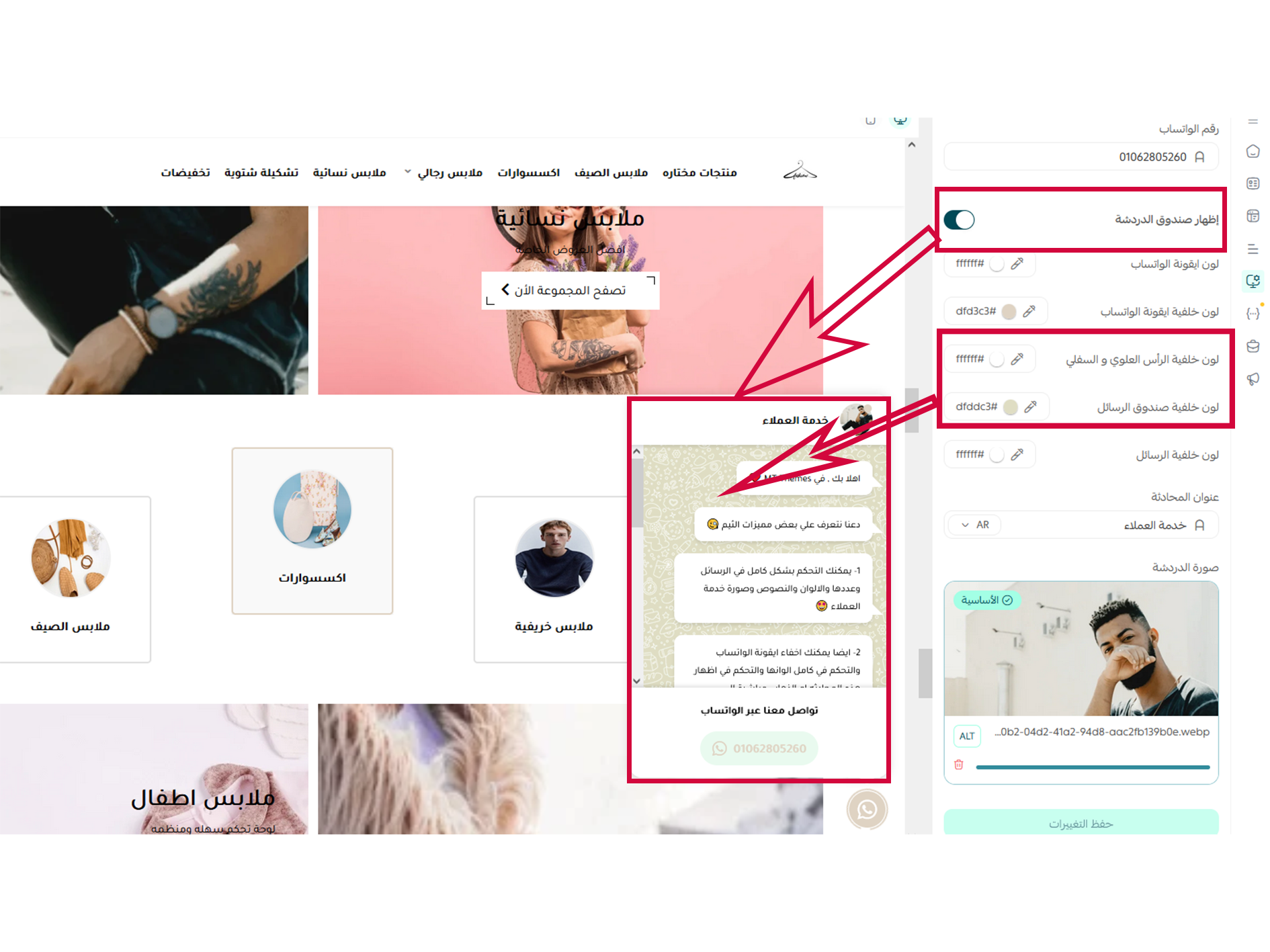
From these settings, you can customize the WhatsApp icon's colors and content, toggle the chat box visibility, manage its content, and enter the phone number your customers will use to contact you.
Products list
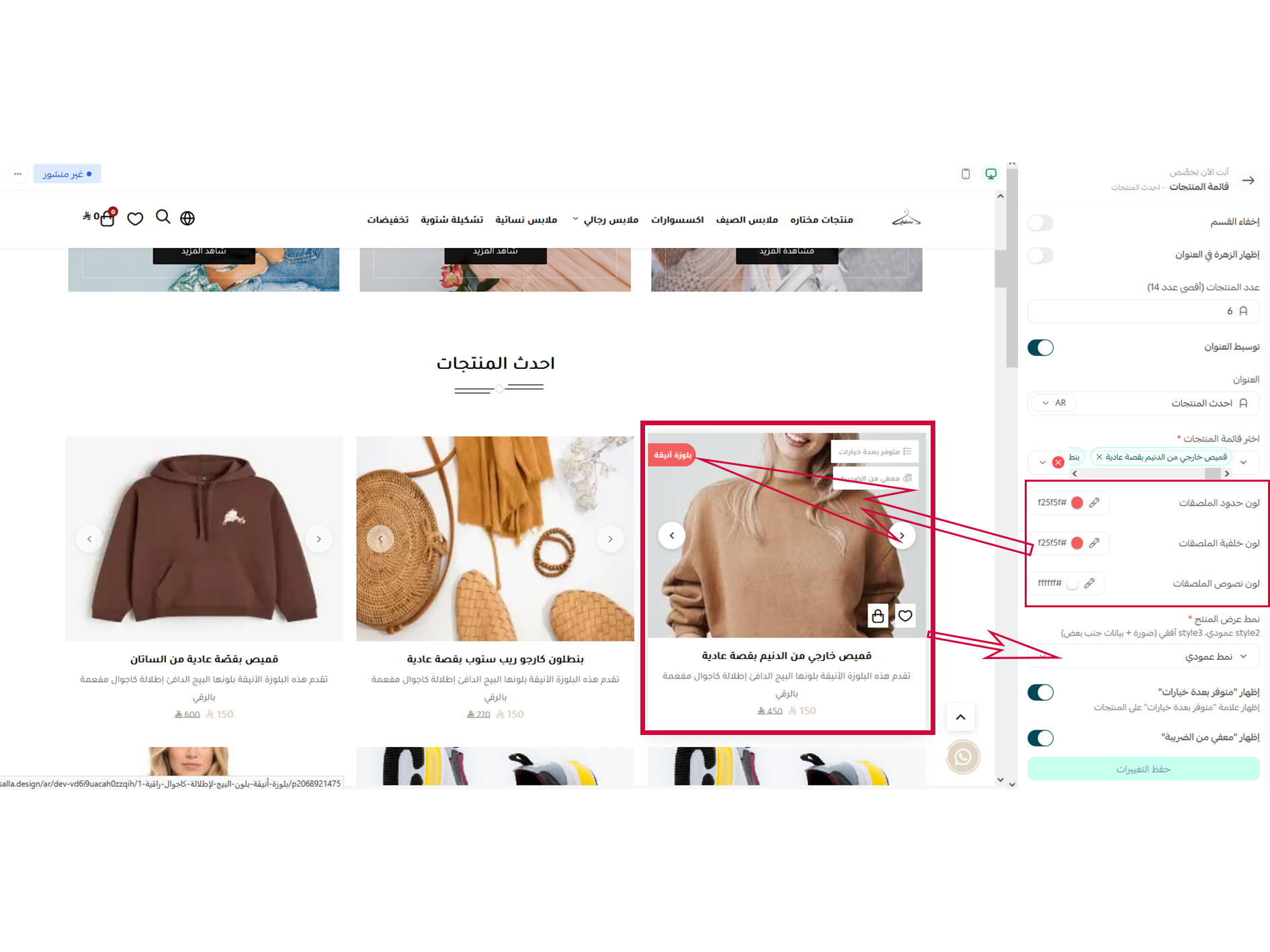
This option allows you to modify product details and provides full control over all appearance attributes, including design, colors, and font sizes.
It also lets you set a vertical display layout and control the number of products per row.
Main slider
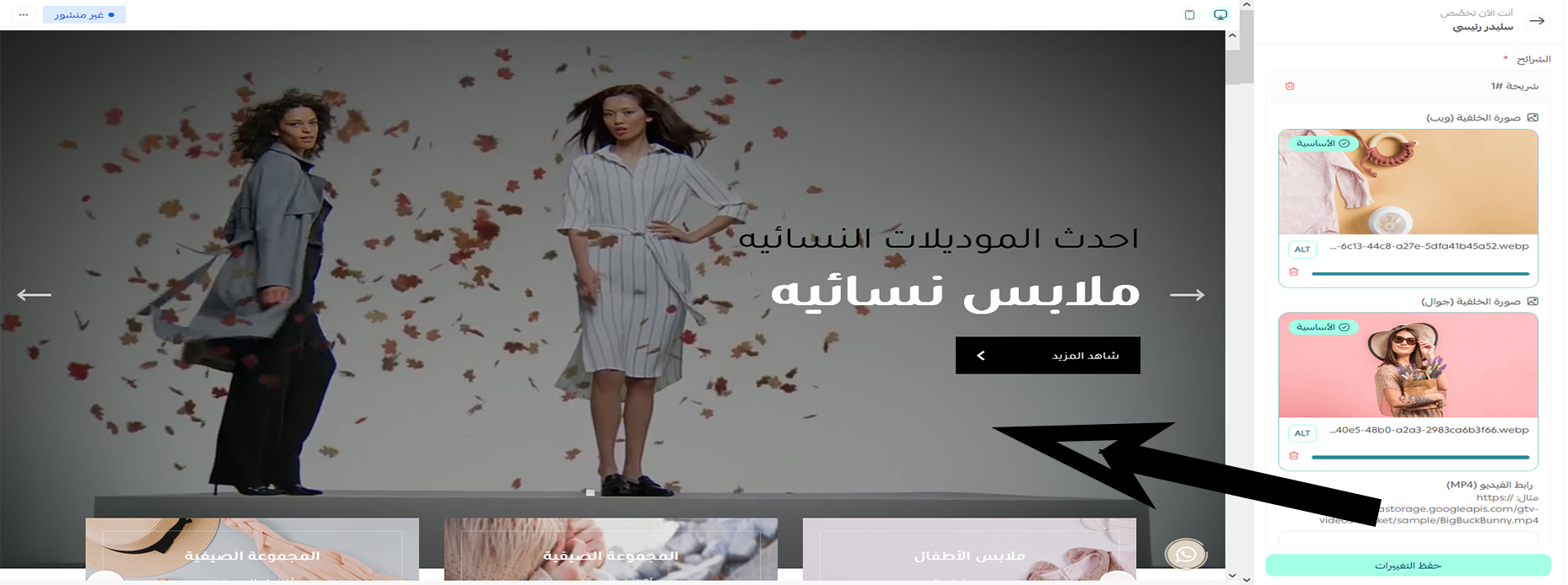
These settings allow you to display an image or video in your store's main slider.
Products list
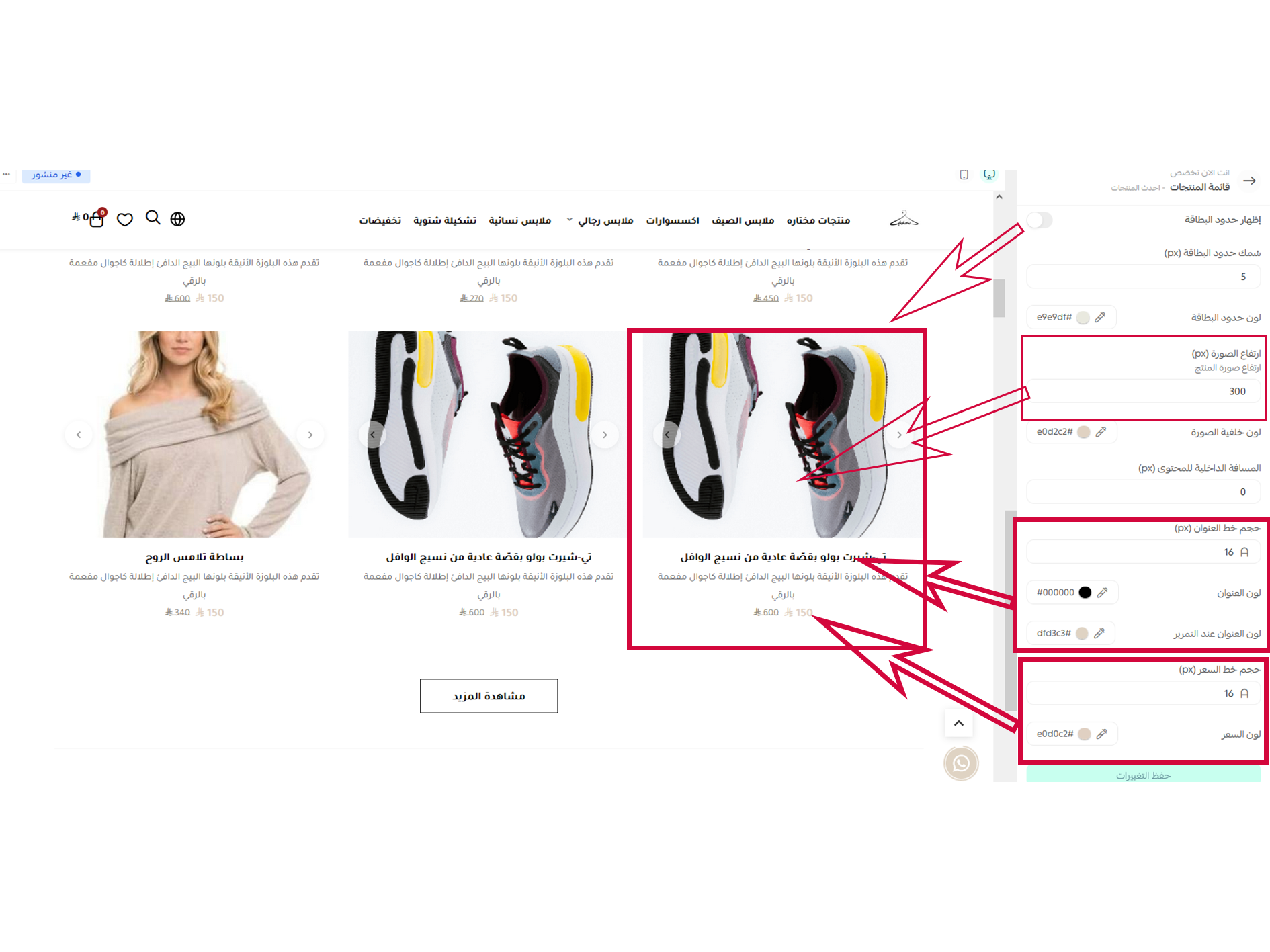
This option allows you to modify product data and provides full control over all its properties, including layout, colors, and font sizes.
It also controls the horizontal display style and the number of products per row.
Main slider
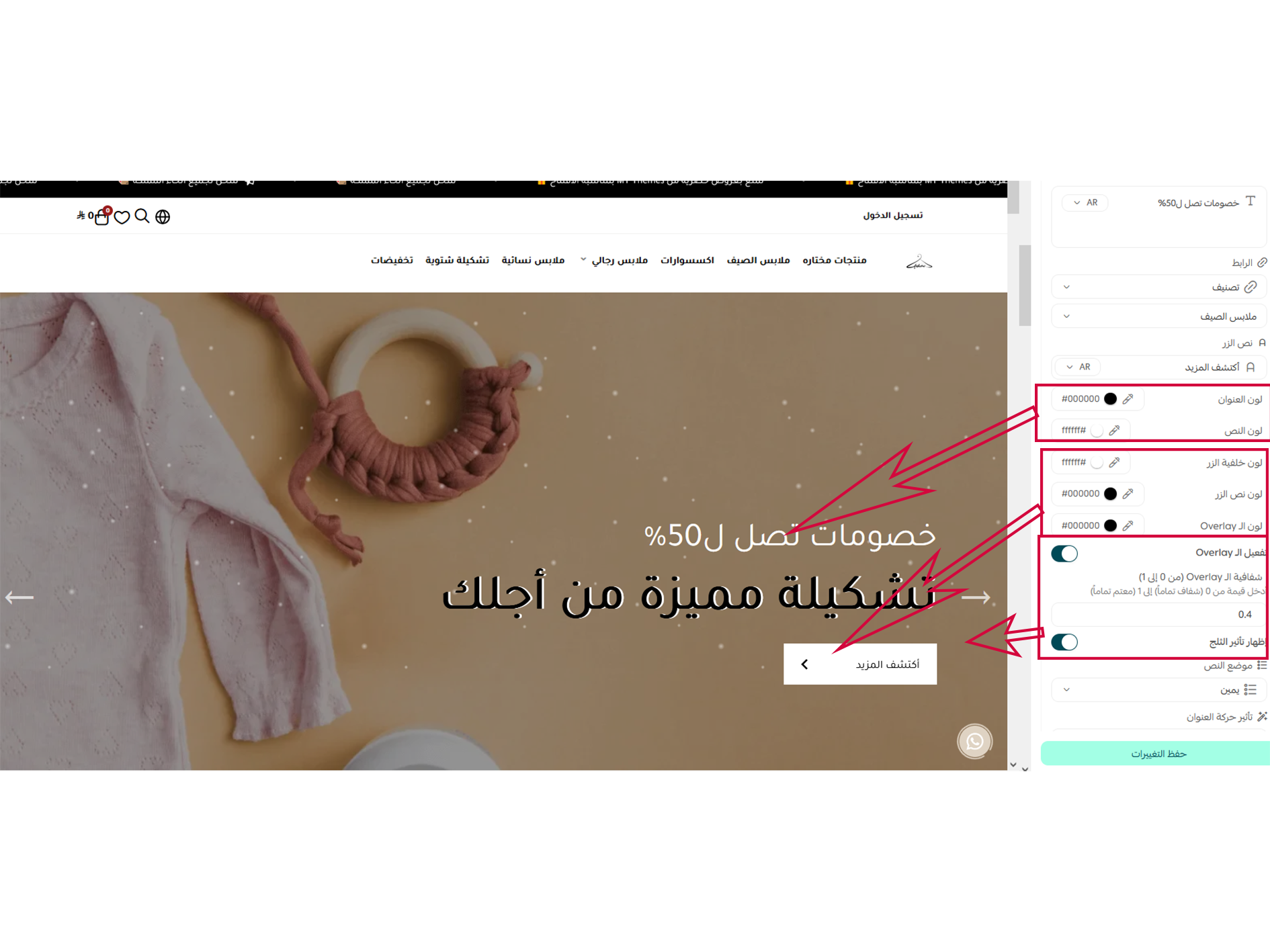
From these settings, you can control the text content displayed over the main slider, button colors and backgrounds, the snow effect, and the text alignment (right or center).
Special categories
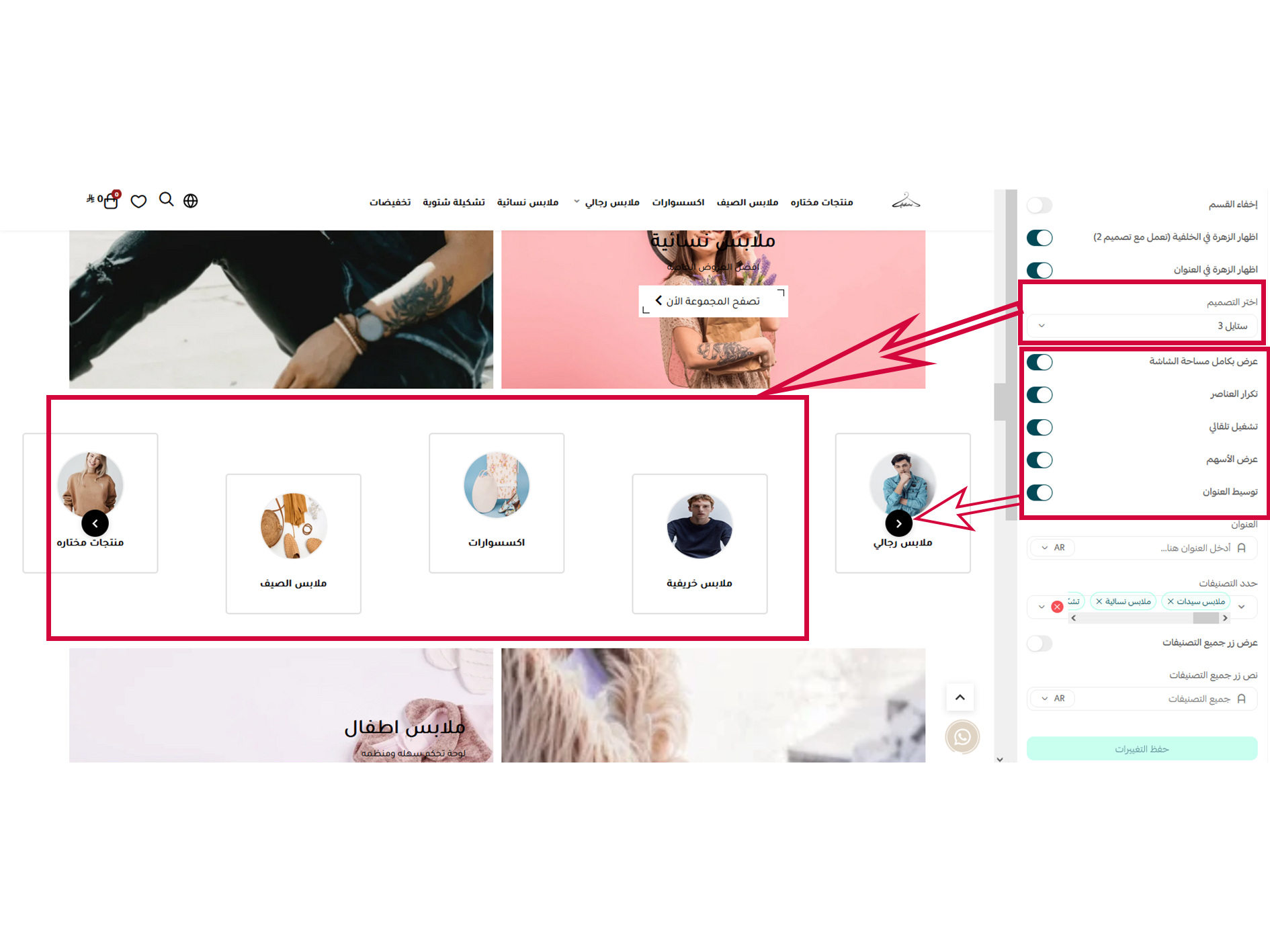
This option allows you to modify category data and provides full control over all their features, including design and colors.
The display style is available in 3 different layouts.
Categories with background image
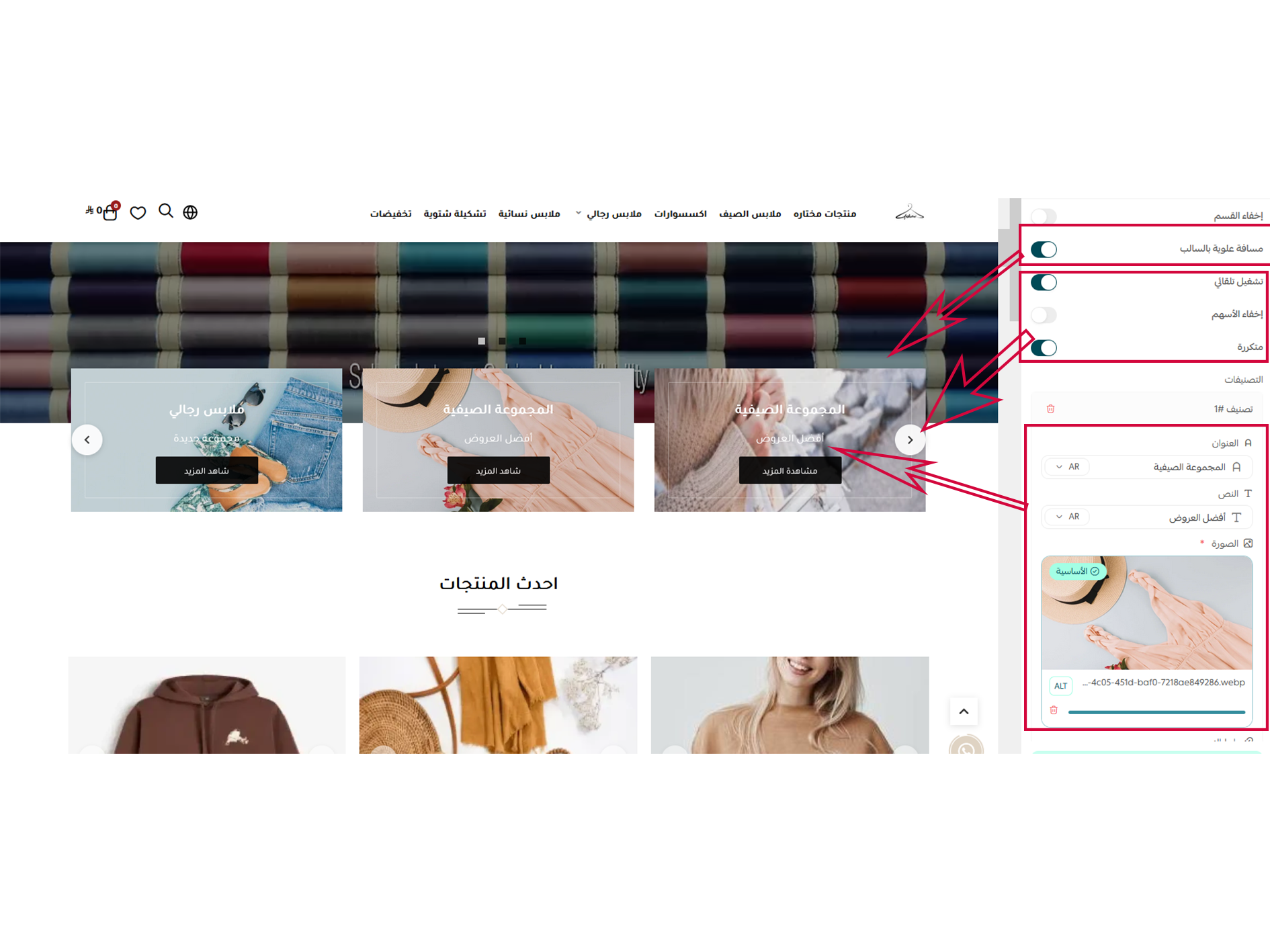
Through these settings, you can control the category images, assign links, and manage the slider's movement, including showing or hiding navigation arrows and dots. You can also apply a negative margin so that it overlaps the background of the preceding section.
Ads
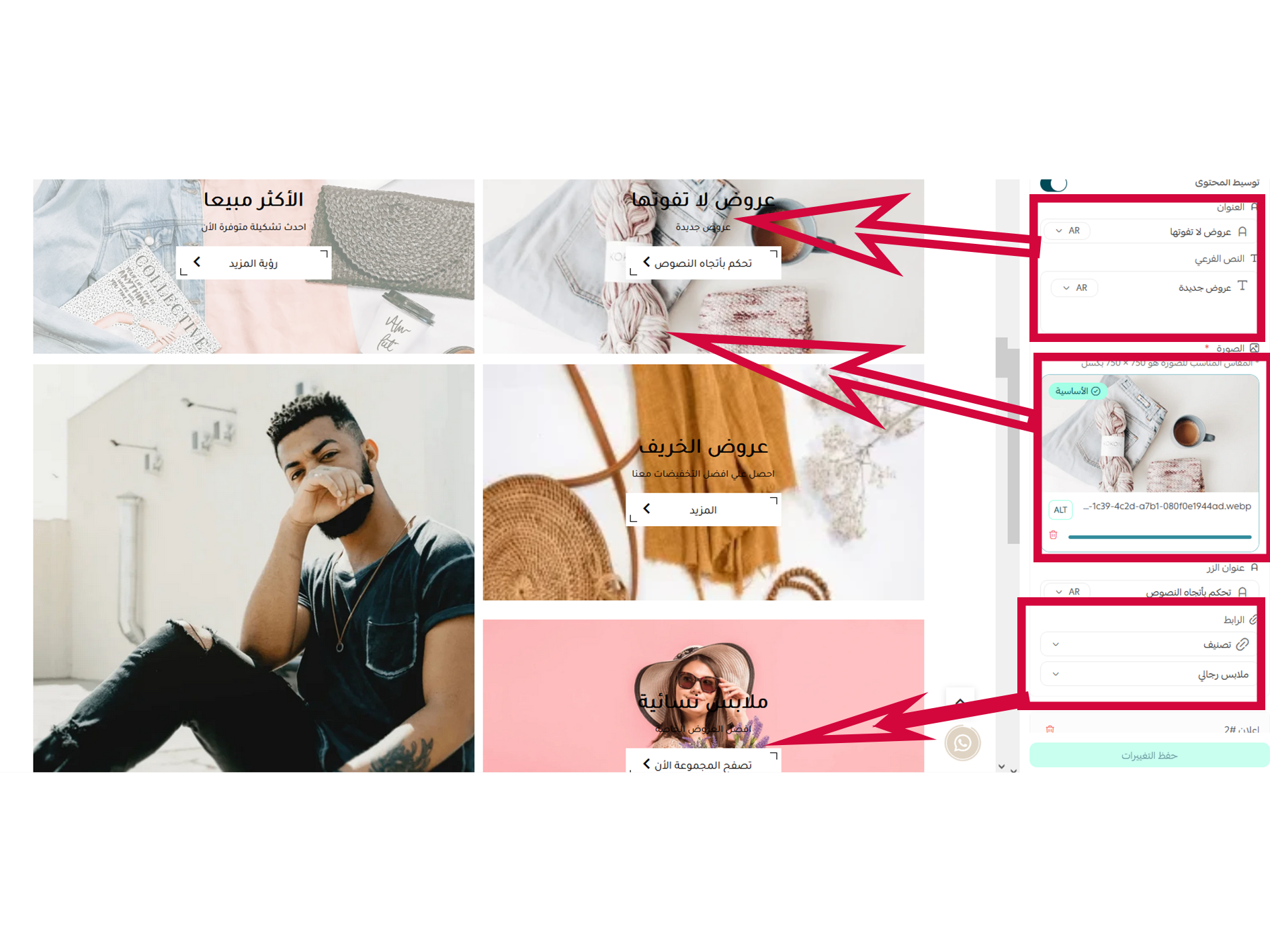
These settings allow you to control the number of featured advertisements displayed, with full control over text alignment, backgrounds, and buttons.
Available in 4 layouts. Each time you add an advertisement, the layout adjusts to your preferred style.
Testimonials
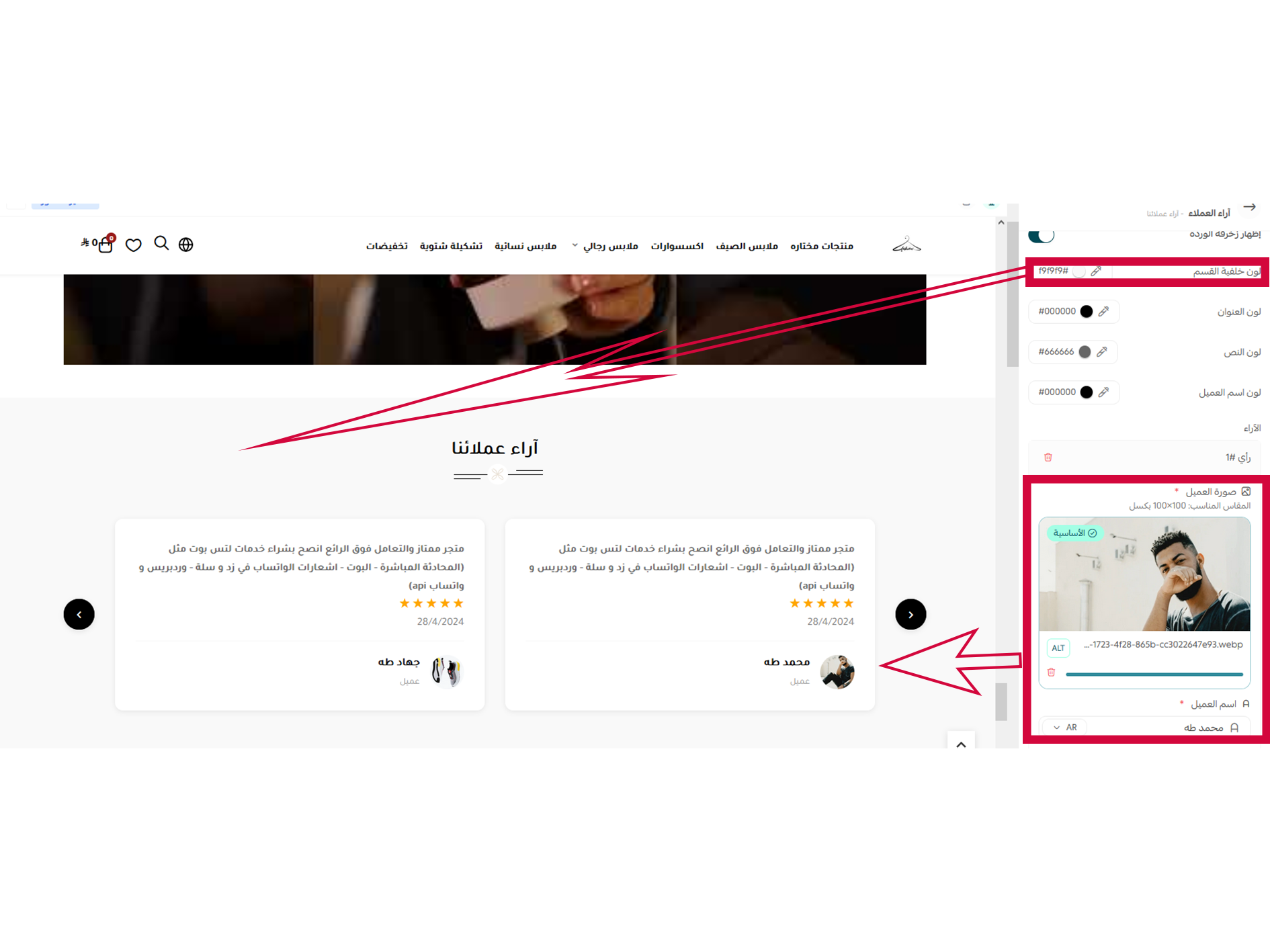
From these settings, you can manage the templates for the customer reviews section, along with setting the star ratings, images, and section colors.
Our features
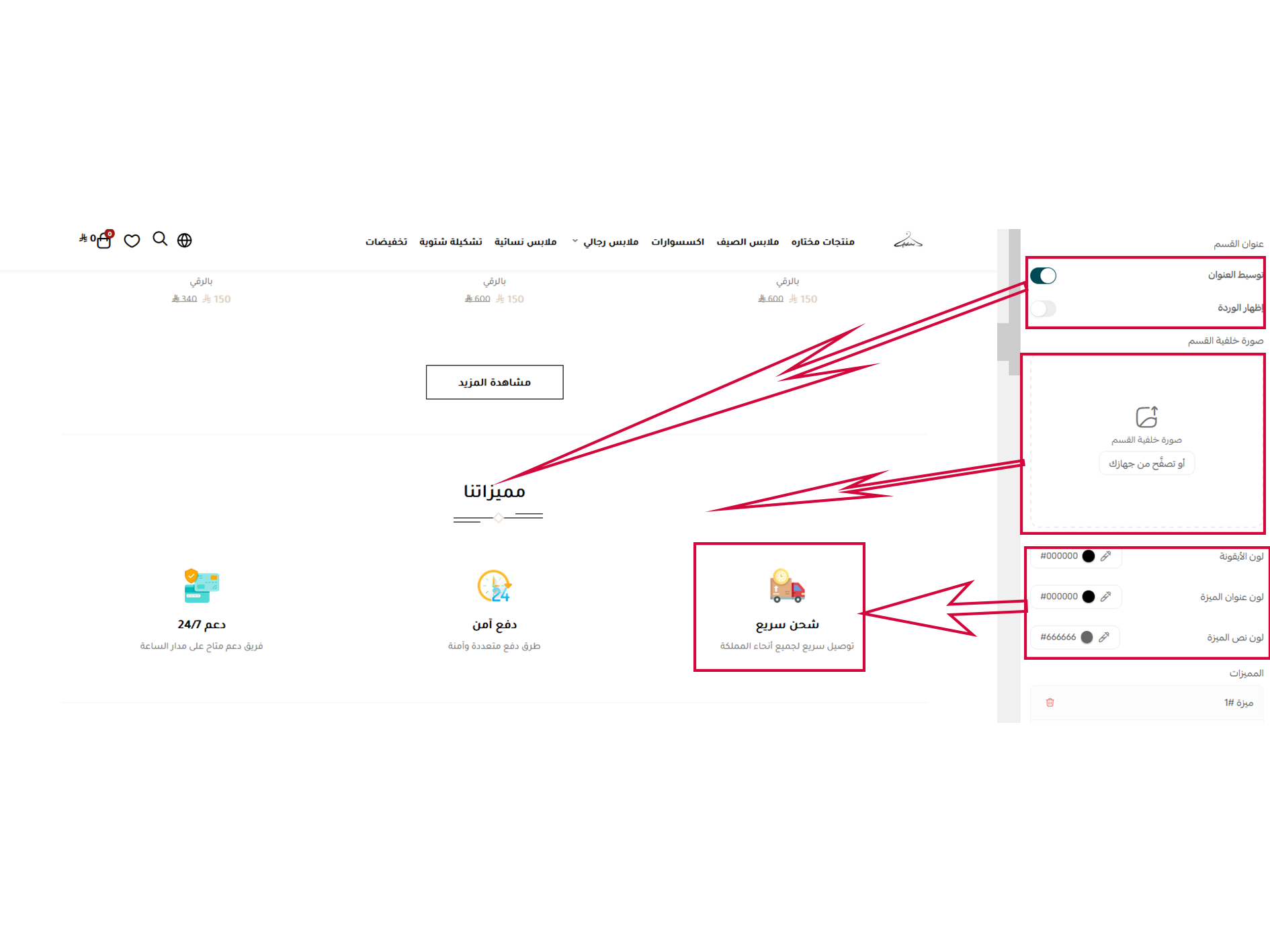
From these settings, you can control the title text alignment, the colors of both the feature title and description, and upload a feature thumbnail or icon while controlling its color.
Our features
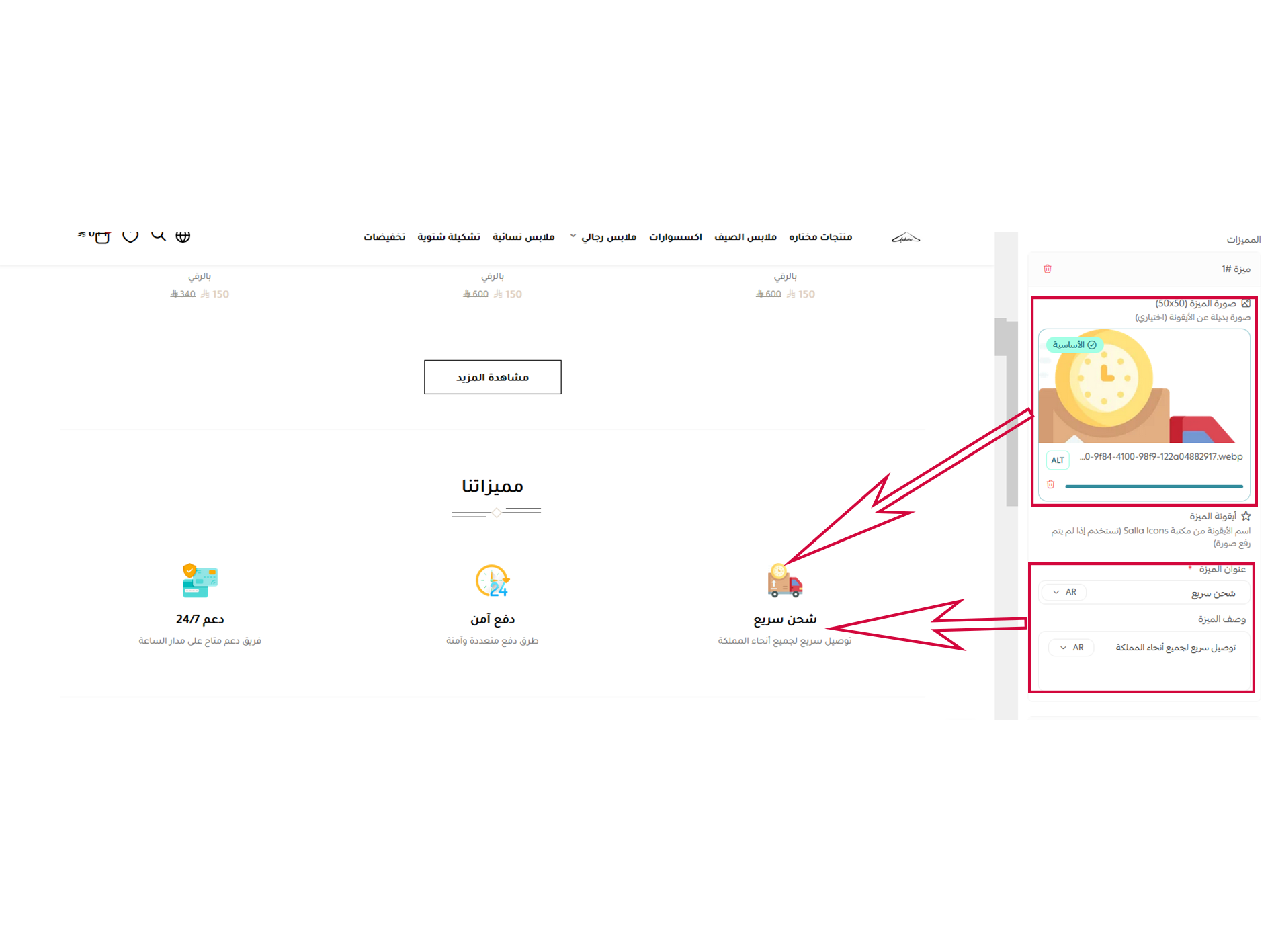
These settings allow you to add and manage the image, title, and description for each feature.
Our partners
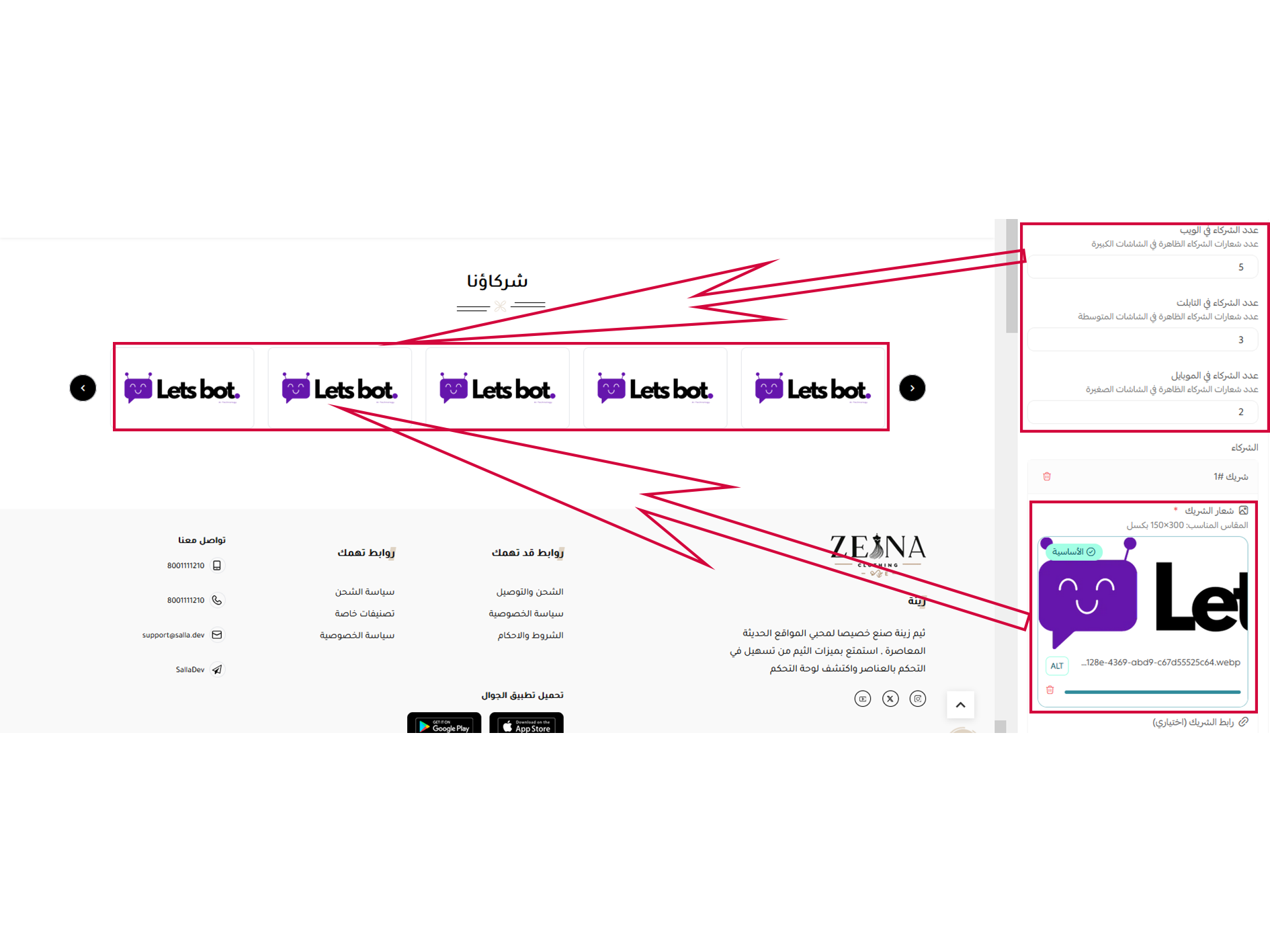
From these settings, you can control the text position, add partner images, display the flower decoration, and set the number of images to display on both desktop and mobile screens.
Design options - footer options
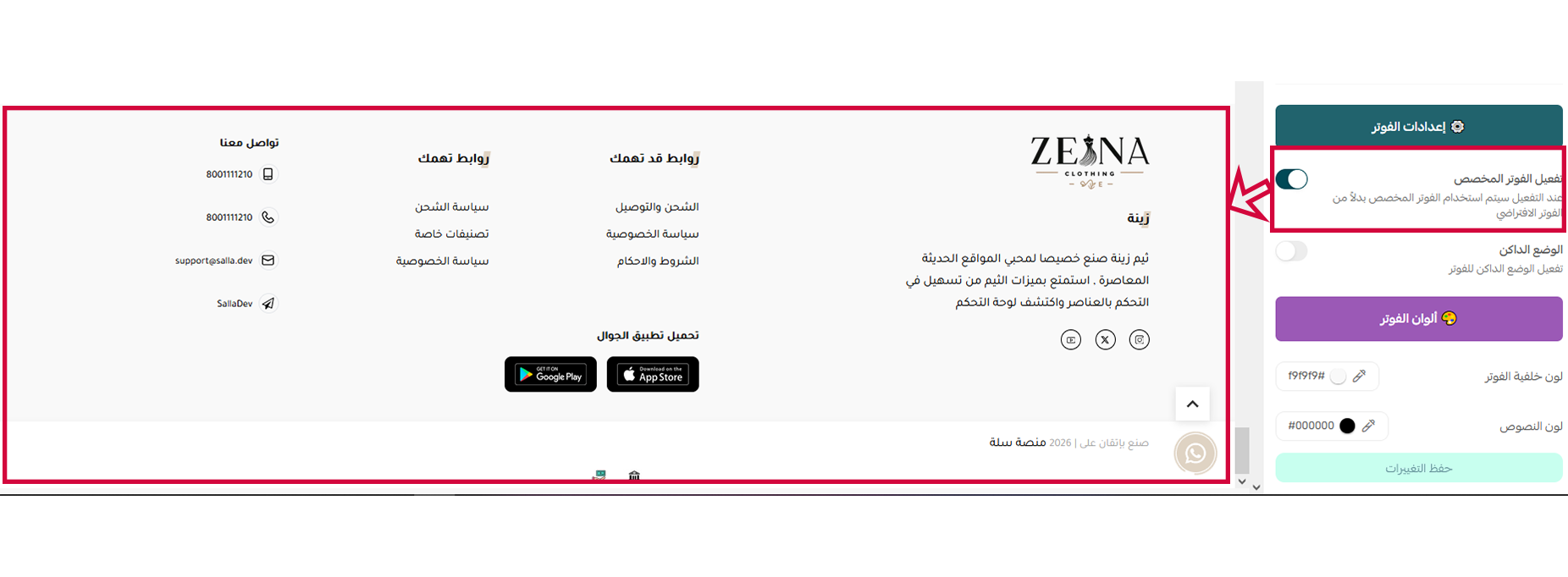
From these settings, you can control the display of the custom footer. If left disabled, the default footer will be used.
You can also set the footer background to black, which is used with the default footer.
Design options - footer options
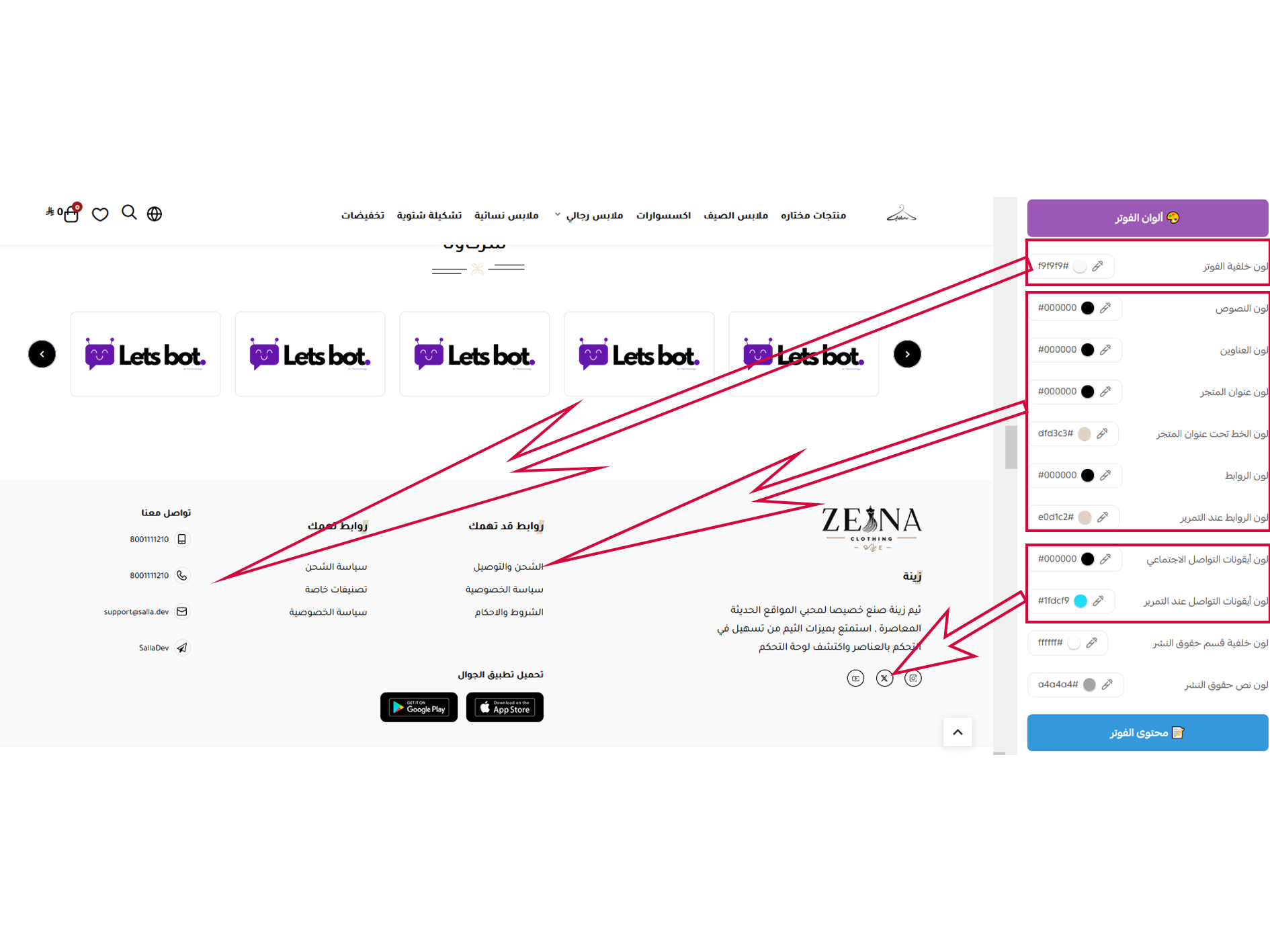
From these settings, you can control the colors of all text, links, and the section background.
Design options - footer options
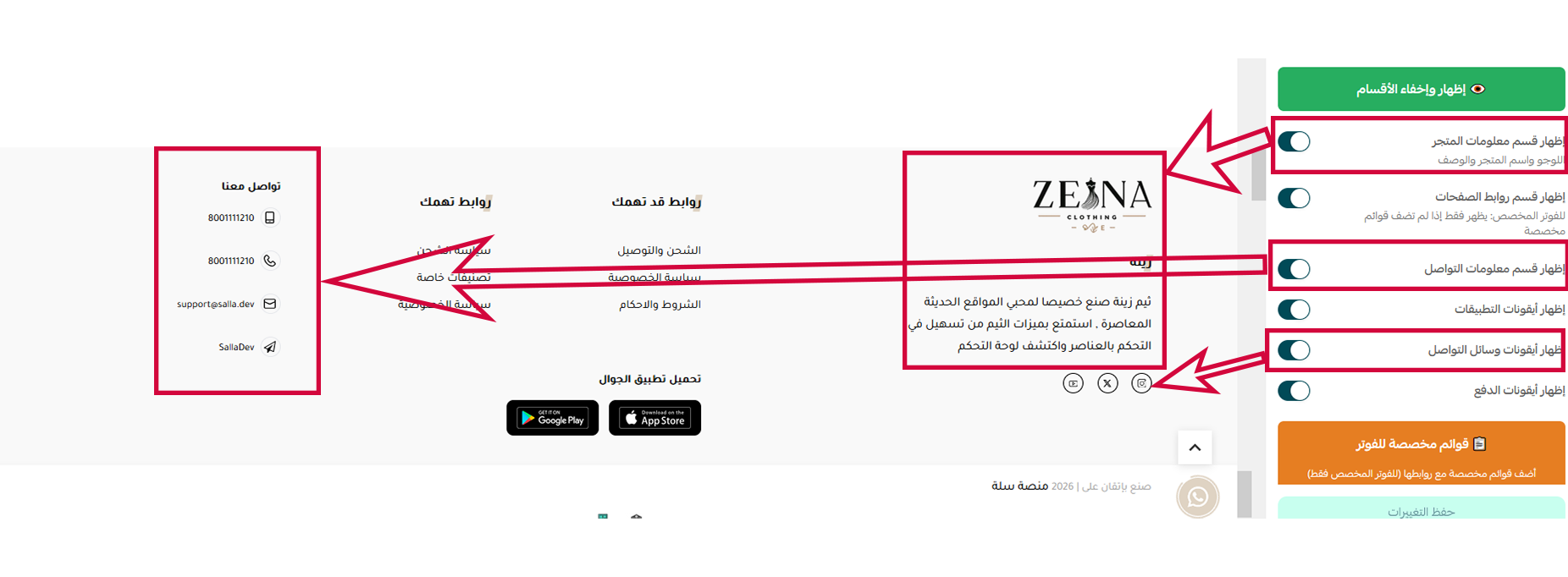
These settings allow you to show or hide the menus, icons, and apps located in the footer.
Design options - footer options
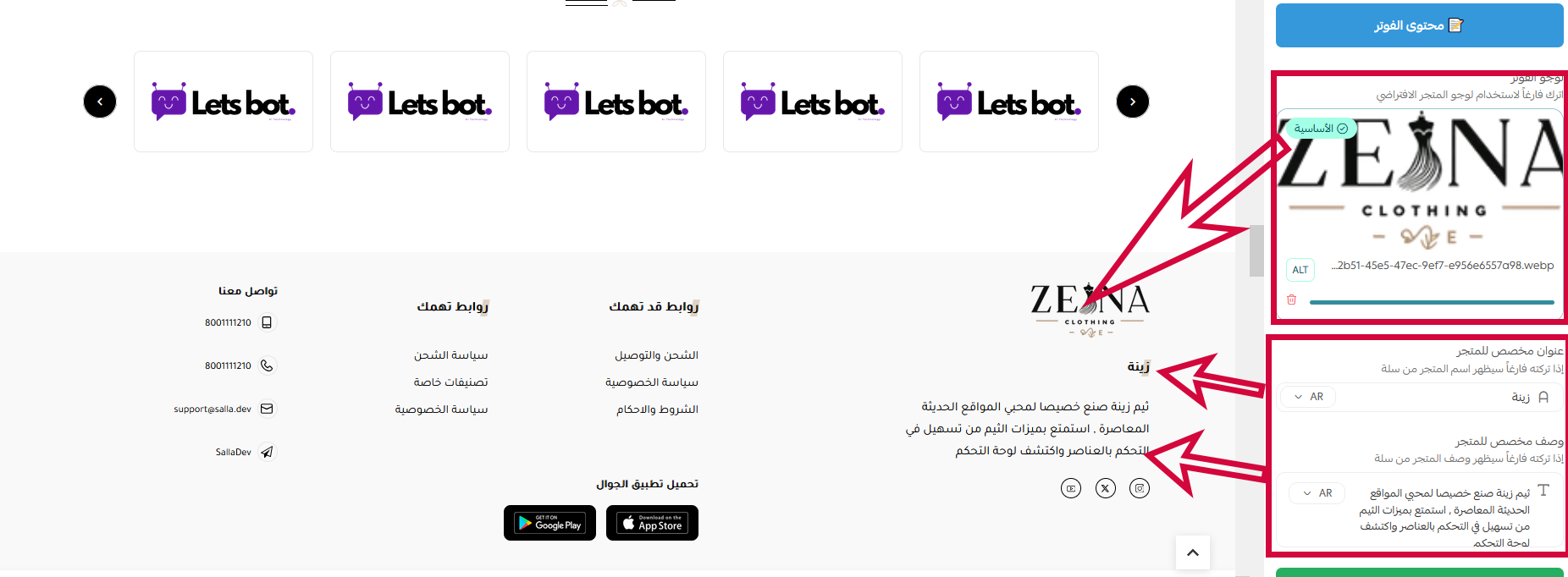
From these settings, you can add your logo, store name, and any desired information about your store.
Video slider (YouTube & TikTok)
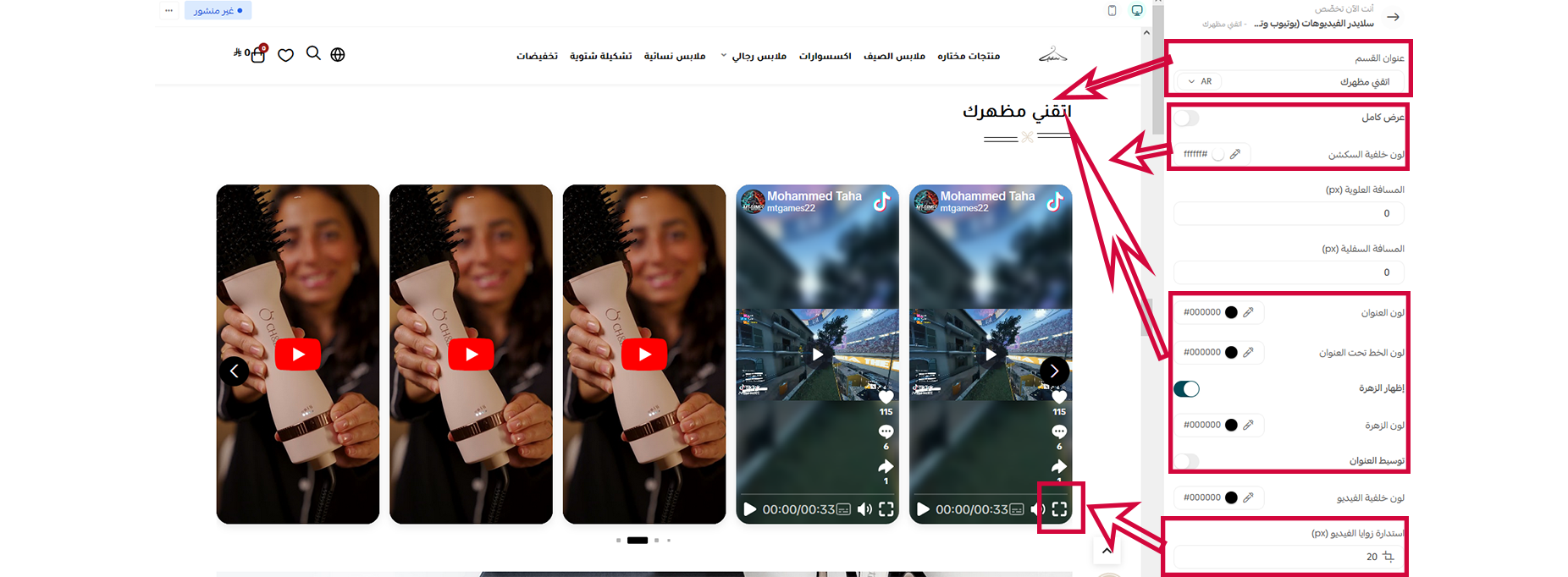
From these settings, you can control the section's background color and spacing, the title's colors and style, and the video's border radius.
Design options - footer options
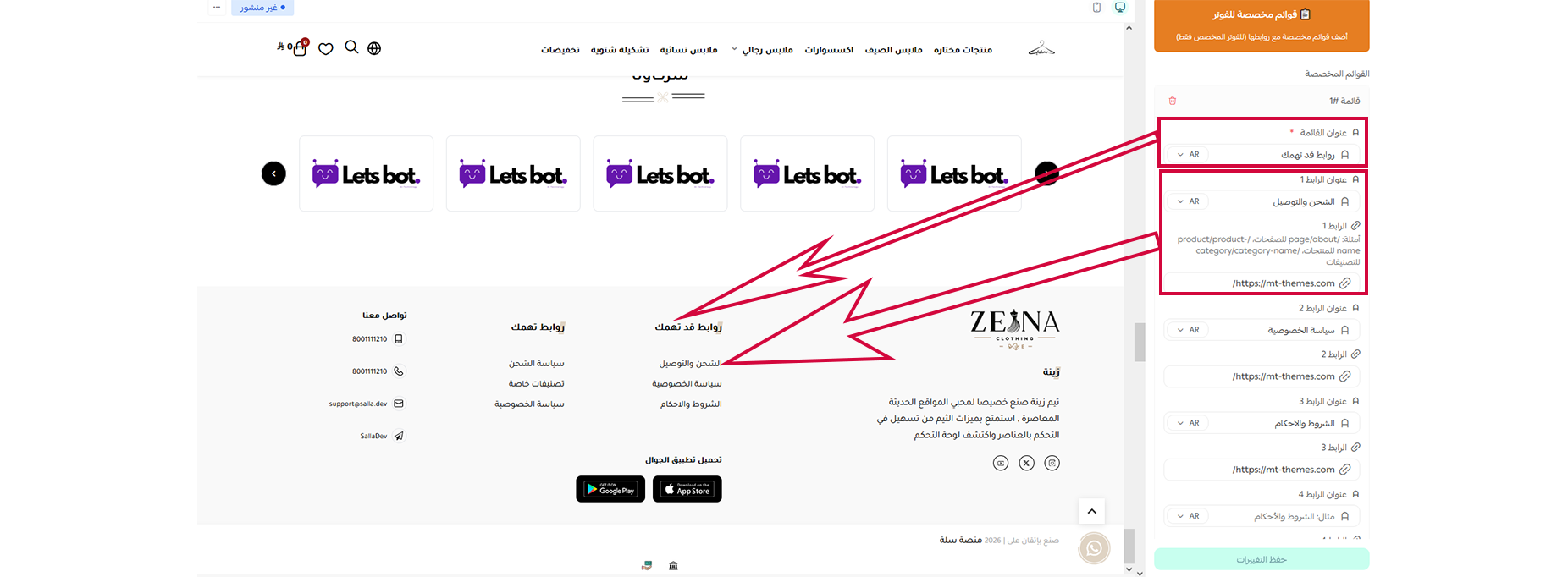
From these settings, you can add a title for each menu, its dropdown menu, and assign links to them
Video slider (YouTube & TikTok)
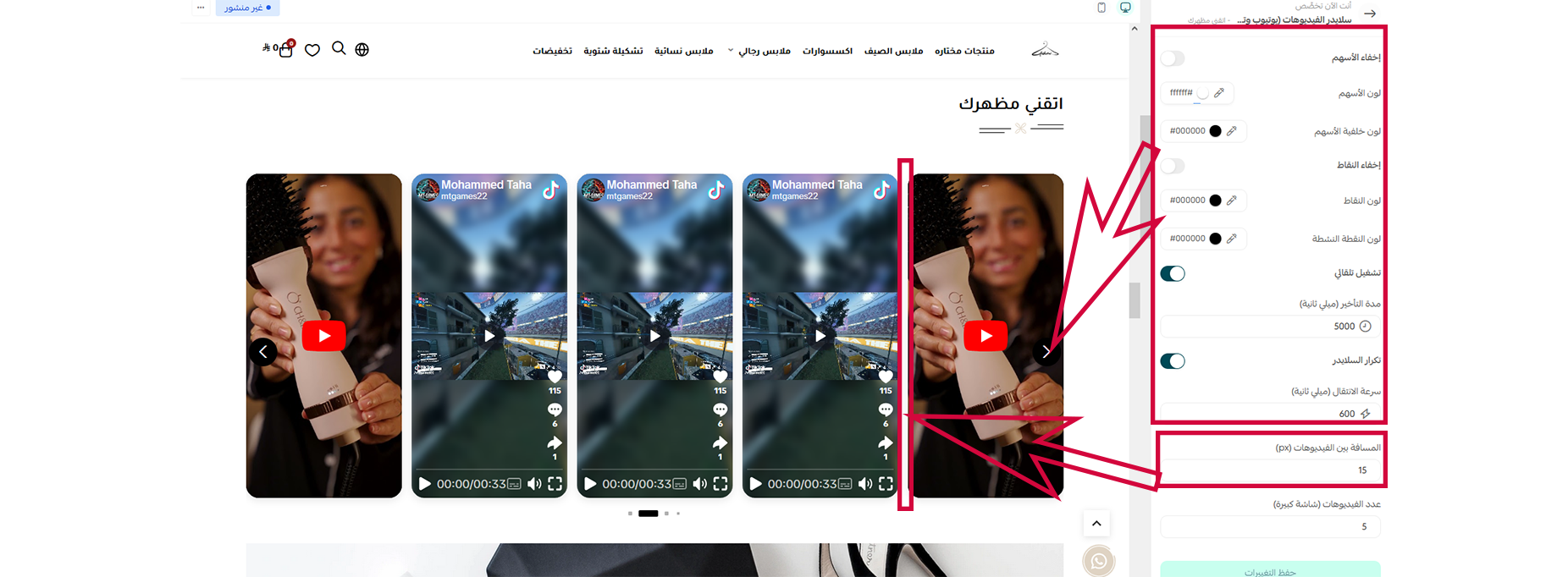
From these settings, you can control the icon colors, slider animation behavior, pagination dot colors, show or hide navigation arrows, and adjust the spacing between videos.
Related themes
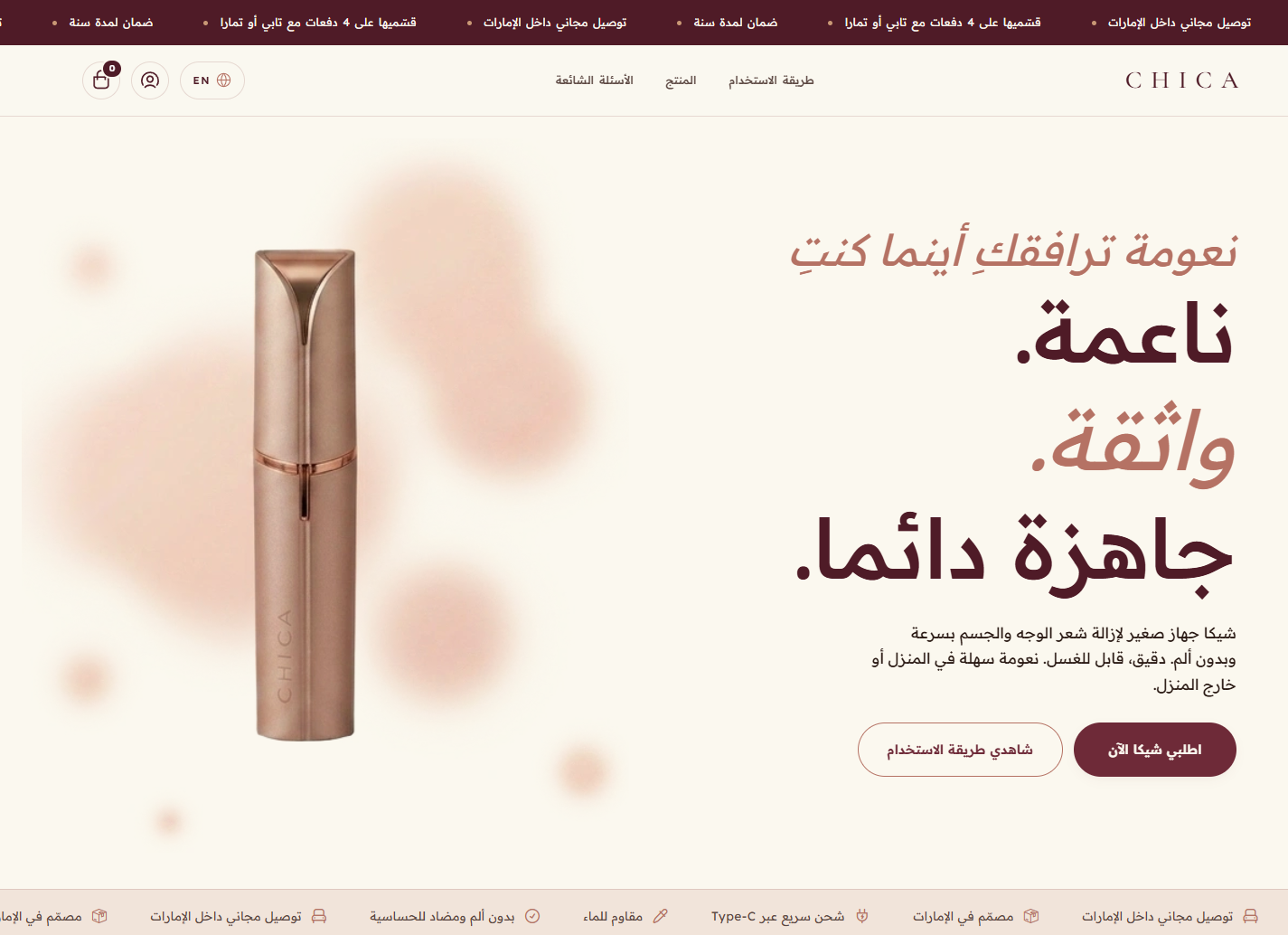
Chica
A premium Salla theme with an elegant design and a powerful hero, ideal for beauty, care and single-hero-product stores.
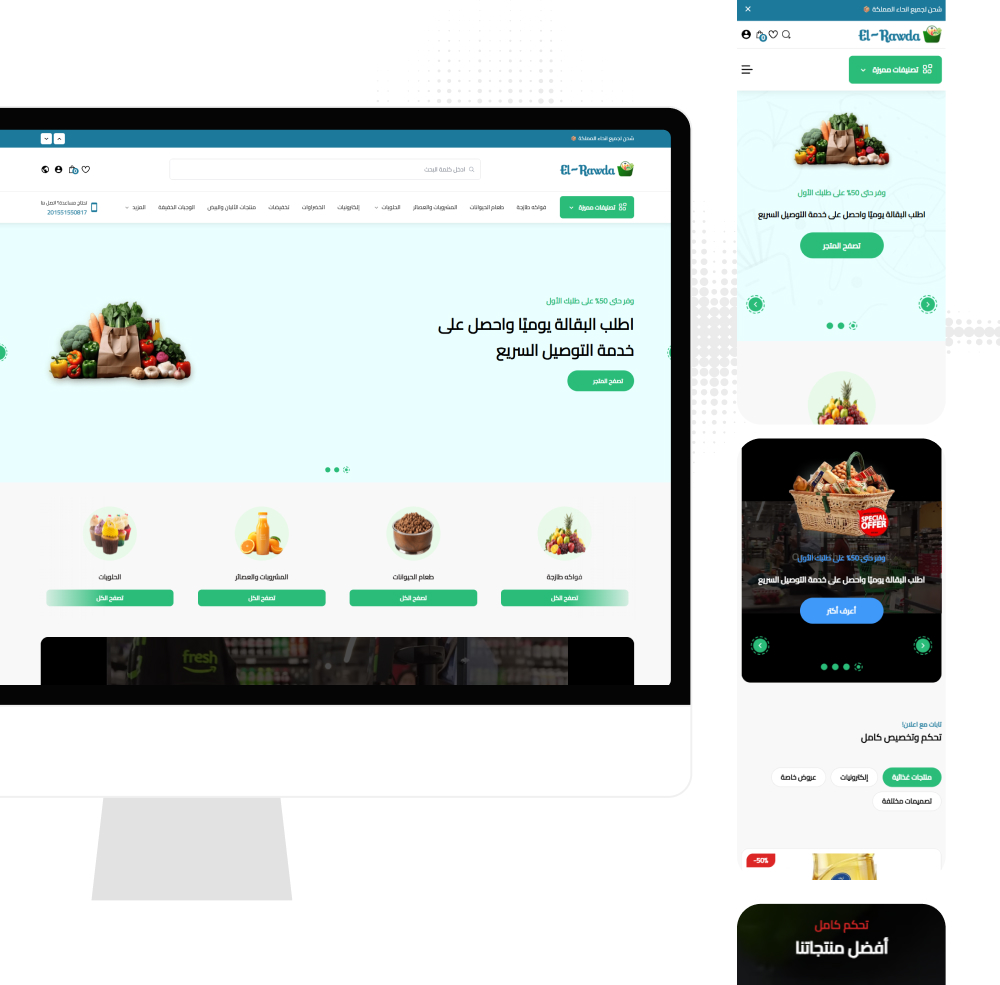
El-Rawda
El-Rawda - an all-in-one modern Salla theme delivering a professional shopping experience with flexible customization.
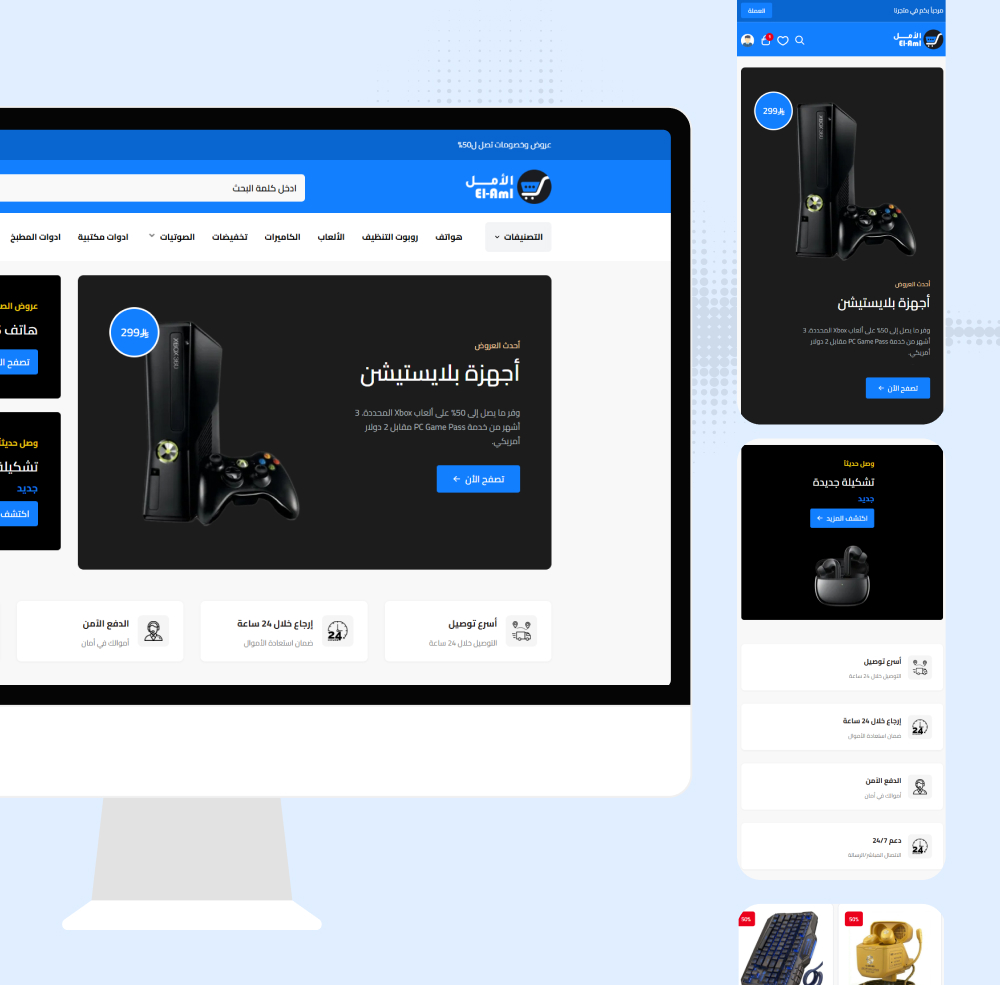
El-Aml
El-Aml - a modern, professional Salla theme with full color/font customization and a smooth shopping experience.
Not sure which theme to pick?
Our team helps you pick the theme and customize it for your store.
Contact us