



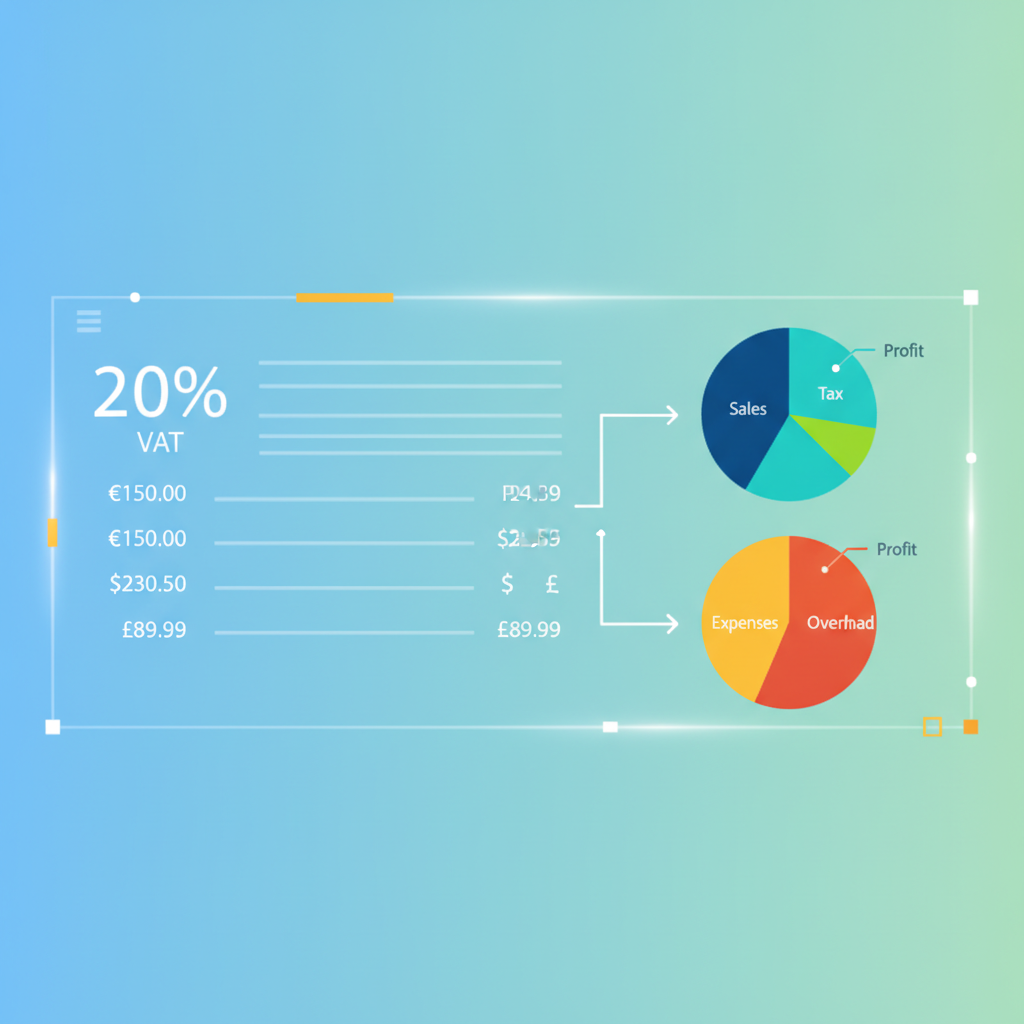
In the fast-paced world of e-commerce, focusing solely on product quality and marketing is no longer sufficient for achieving success and sustainability. Compliance with legal and financial requirements, especially Value Added Tax (VAT) calculation, has become a fundamental pillar for any online store aspiring to grow and prosper. Understanding VAT mechanisms and implementing them correctly is not just a routine procedure; it's a shield that protects your store from legal and financial risks, and ensures a trustworthy reputation with both customers and government entities.
This comprehensive guide aims to simplify the process of calculating Value Added Tax for your online stores operating on Salla, Zid, and Shopify platforms – three of the most prominent platforms effectively serving the Arab market. We will cover everything you need to know, starting from understanding the basics of VAT and its importance, moving through how to set it up and activate it within these platforms, and culminating in practical tips to avoid common mistakes and ensure full compliance with local tax regulations. Investing in understanding these aspects will save you significant time, effort, and money in the long run, securing a strong foundation for your store's sustainable growth.
Understanding Value Added Tax (VAT) and Its Importance for Your E-commerce Store
Value Added Tax (VAT) is an indirect tax imposed on the difference between the cost price and the selling price of products and services at each stage of the supply chain, from production to the final consumer. In Saudi Arabia, for example, the standard VAT rate is 15%, a percentage added to the value of goods and services sold. Registered businesses in the VAT system are required to collect this tax from their customers and remit it to the relevant government authorities, making them an intermediary between the consumer and the state in the tax collection process.
VAT holds immense importance for e-commerce stores for several fundamental reasons. Firstly, tax compliance represents a legal obligation that cannot be overlooked, as non-compliance can expose the store to hefty financial penalties and sanctions that may even lead to store closure in some cases. Secondly, an accurate understanding of VAT mechanisms helps in pricing products correctly and competitively, directly impacting profit margins and transparency in dealings with customers. Today's customers are more aware of the final prices they pay, and clearly including VAT avoids unpleasant surprises.
Thirdly, efficient VAT management ensures smooth financial and tax audit processes, avoiding complexities that may arise from inaccurate or incomplete records. Having a clear and documented system for calculating, collecting, and remitting tax enhances the store's credibility and protects it from any suspicions or future investigations. Furthermore, compliance opens doors to growth and expansion opportunities, as many business partnerships and dealings with large suppliers require a clean and reliable tax record.
Why VAT Management is Essential for Salla, Zid, and Shopify Stores
E-commerce platforms like Salla, Zid, and Shopify enjoy widespread popularity in the Arab market, serving millions of merchants and customers. This widespread use places them under the scrutiny of tax authorities, which increases the importance of tax compliance for their users. Stores operating on these platforms handle large volumes of data and transactions, requiring a robust system for automated and accurate VAT management, which these platforms partially or fully provide within their settings.
Tax authorities, such as the Zakat, Tax and Customs Authority in Saudi Arabia, impose strict requirements on e-commerce stores regarding registration, collection, and tax declarations. These requirements typically include issuing correct tax invoices that contain all necessary details, maintaining accurate financial records for a specified period, and submitting tax returns regularly. Failure to comply with any of these aspects can lead to significant financial penalties, potentially multiple times the value of the outstanding tax, in addition to imposing further sanctions.
Moreover, transparency in displaying prices and including VAT enhances customer trust. When a customer sees the final price of a product, inclusive of tax, from the outset, they feel reassured and clear, which reduces shopping cart abandonment rates and increases the likelihood of completing a purchase. This transparency contributes to building a strong and lasting relationship with customers, and protects the store from complaints or issues related to unclear pricing.
Fundamentals of Value Added Tax (VAT) Calculation
To understand how VAT is calculated, one must first grasp some basic concepts that form the cornerstone of the tax system. The process begins by determining whether your store is obligated to register for VAT, which typically depends on your annual sales volume or projected revenue. In many countries, there is a minimum revenue threshold after which a store is mandated to register. Once registered, the store becomes responsible for collecting and remitting the tax, and has the right to deduct Input VAT (on its purchases) from Output VAT (on its sales).
The calculation process involves determining the base price of the product or service before adding tax, then applying the applicable VAT percentage in your country. For example, if a product costs 100 Saudi Riyals and the tax rate is 15%, the VAT will be 15 Riyals, making the total price paid by the customer 115 Riyals. This process must be clear and documented on every invoice issued, specifying the value of the item, the tax amount, and the total price.
It is also important to understand that VAT is not an additional profit for the store; rather, it is an amount collected on behalf of the state. Therefore, it must be separated from the store's core revenue and managed as a financial liability owed to the state. Proper management of these funds ensures that the store is always prepared to file tax returns and pay due amounts on time, avoiding any legal or financial issues.
Types of VAT and Their Rates
VAT is not limited to a single rate applicable to all goods and services; instead, it can vary to include different types with varying rates, or even complete exemptions. Understanding these types is crucial to ensuring accurate compliance and avoiding errors in pricing. Generally, VAT types can be categorized as follows:
- Standard Rate: This is the general rate applied to most goods and services. In Saudi Arabia, this rate is 15%. Your store must apply this rate to the majority of products it sells, unless there are clear exceptions.
- Zero-Rated: In this case, VAT is calculated at 0%. This means no tax is collected from the customer, but the store can reclaim VAT on its purchases related to these goods or services. This category typically includes exports and related services, and some essential goods.
- Exempt: Here, no tax is collected from the customer, and the store cannot reclaim VAT on its purchases related to these goods or services. This category usually includes certain financial services, healthcare, and education, which are completely exempt from tax.
Store owners must regularly review local tax regulations to determine the correct rate applicable to each product or service they offer. These rates may change, or new categories may be added, requiring continuous updates to the store's settings. Failure to apply the correct rate can lead to collecting less tax than due, exposing the store to claims from tax authorities, or collecting more tax than necessary, which could upset customers.
To ensure accuracy in applying tax rates, it is advisable to categorize products in the store based on their tax treatment. For example, product groups can be created for standard-rated goods, and other groups for zero-rated or exempt goods if your store deals with such categories. This process simplifies inventory and pricing management and ensures compliance. You can refer to our product pricing guide for smart strategies to effectively integrate tax.
Methods of Tax Calculation: VAT Exclusive vs. VAT Inclusive
When displaying prices in your online store, there are two main ways to incorporate VAT, both with advantages and disadvantages, and you must choose the one most suitable for your store and pricing policy:
- VAT Exclusive: In this method, the base product price is displayed first, then VAT is added separately at the checkout page or in the shopping cart. This means the customer sees a lower initial price and might be surprised when seeing the final price after VAT is added. This method is common in business-to-business (B2B) transactions where other companies can reclaim VAT, or in some markets that prefer this approach.
- VAT Inclusive: In this method, the final price of the product, including VAT, is displayed from the beginning. This provides greater transparency for the customer and avoids any surprises when completing the purchase. This method is most common in business-to-consumer (B2C) transactions and is preferred by most e-commerce stores to increase customer trust and reduce shopping cart abandonment rates.
Whichever method you choose, it must be very clear to the customer. If you choose to display prices without tax, you must clearly state that tax will be added later. And if you choose to display prices inclusive of tax, you must also clarify that. Transparency is key. The tax invoices you issue must clearly break down the base price, the VAT amount, and the final total price.
On platforms like Salla, Zid, and Shopify, you can usually specify whether your product prices will be VAT-inclusive or not through general store settings or individual product settings. It is strongly recommended to select the "VAT Inclusive" option for stores targeting consumers directly, to simplify the purchasing experience and improve customer satisfaction. Clear pricing reduces inquiries and increases customer service efficiency.
VAT Settings in E-commerce Platforms (Salla, Zid, Shopify)
Modern e-commerce platforms recognize the importance of tax compliance and therefore provide built-in tools and settings to help store owners manage VAT effectively. Although each platform has its own interface, the basic principles for setting up tax remain similar. Here, we will review how to adjust these settings in Salla, Zid, and Shopify, focusing on the essential steps to ensure correct activation.
Before you begin modifying settings, ensure that you have registered for VAT with the relevant government authorities in your country and that you possess a valid tax registration number. This number is essential for issuing correct tax invoices and for tax declarations. You should also be aware of the tax rate applicable to your store and the products you sell, as well as any applicable exemptions. Failure to register or use a correct tax number can lead to significant problems.
Always remember that tax settings are not something to be activated once and forgotten. They should be reviewed periodically, especially when there are any changes in local tax regulations or when new types of products are added that may be subject to different tax treatments. Keeping these settings updated ensures continuous compliance and protects your store from any legal or financial accountability.
In Salla Platform
Salla is one of the leading platforms in the Saudi and Gulf markets, offering a user-friendly interface for VAT management:
- Tax Registration: First, ensure that tax registration is activated in your store. You can go to Settings > Taxes > Tax Settings. Here you will find options to enable VAT and enter your store's tax registration number.
- Set Tax Rate: In the same section, you can specify the VAT rate that will be applied to your products. For example, enter 15% for Saudi Arabia.
- Activate Tax on Products: When adding or editing a product, you will find an option to enable VAT for it. Make sure to activate it for all taxable products.
- Price Display: Salla allows you to choose whether you want to display prices as VAT-inclusive or exclusive. It is preferable to activate the Display prices inclusive of tax option for greater transparency with customers.
- Tax Invoices: Salla automatically generates tax invoices that include VAT details, making compliance easier for you. Ensure these invoices contain all required information such as your tax registration number and the customer's registration number (if applicable).
It is crucial to ensure that all products sold are subject to the correct tax settings. You may need to review each product individually to confirm that tax is properly enabled, especially if you have a large and diverse range of products. Any error at this stage can affect the accuracy of subsequent tax declarations and cause problems.
Salla also provides tax reports that help you track collected and paid amounts, simplifying the process of preparing monthly or quarterly tax declarations. Use these reports regularly to monitor your tax status and ensure there are no discrepancies or errors. Understanding and analyzing these reports helps in making better financial decisions.

In Zid Platform
Zid is also a leading e-commerce platform in the Arab world, offering powerful tools for VAT management:
- Activate Tax: Go to Dashboard > Settings > Taxes. From here, you can enable the VAT system for your store and enter your tax registration number.
- Define Tax Rates: You can add different tax rates based on geographical regions or product types if necessary, but for most stores in Saudi Arabia, a single rate (15%) will suffice.
- Manage Tax on Products: When adding a new product or editing an existing one, you will find a dedicated section for tax. Ensure that the Apply Tax option is enabled for the product and the correct tax rate is entered.
- Price Display Options: Zid gives you flexibility in how prices are displayed. You can choose to display prices as VAT-inclusive or exclusive. It is recommended to activate the Display prices inclusive of tax option for a better customer experience.
- Invoices and Reports: Like Salla, Zid provides automated tax invoices and detailed reports on collected VAT. Use these reports to file your tax declarations accurately and on time.
Zid features high flexibility in defining tax rules, allowing you to apply different rates to specific products or in certain regions if the nature of your business requires it. This flexibility is particularly useful for stores selling products subject to varying tax rates, or operating in multiple markets with different tax systems.
To make the most of Zid's tax settings, it is advisable to review the platform's user manual or contact their technical support team if you have any complex inquiries. Understanding every available option will help you configure the tax system perfectly for your store, ensuring full compliance and facilitating accounting operations. You can also read our Commercial Register guide which outlines the steps to establish your store and ensure its legal compliance.
In Shopify Platform
Shopify is a global platform that offers a robust and customizable tax system to support various tax requirements worldwide, including VAT in the Middle East:
- General Tax Settings: Go to Settings > Taxes and duties. Here you can specify your store's country and the region where you operate. Shopify often sets default tax rates based on your store's location.
- Collecting VAT: Ensure that the option to Charge tax on physical products (or its equivalent) is enabled and set the VAT rate (e.g., 15% for Saudi Arabia). You can also specify whether product prices are VAT-inclusive or not.
- Tax Exemptions: If you have specific products that are tax-exempt or zero-rated, you can set up special tax exemptions for these products. This requires assigning different tax categories to the relevant products.
- Tax Regions: You can set up different Tax Regions and assign specific tax rates to each region, which is useful if you sell in countries or areas with different tax systems.
- Tax Reports: Shopify provides detailed tax reports that help you track collected and paid VAT, simplifying the process of tax declarations.
Shopify excels in its ability to handle complex tax scenarios, such as calculating tax based on the customer's location or warehouse location. This flexibility makes it suitable for stores with large-scale operations or those expanding into international markets. However, these features require a deeper understanding of tax settings to ensure correct configuration.
To make the most of Shopify's tax system, it is recommended to consult a tax expert or carefully review Shopify's official documentation. You might also need to use additional apps from the Shopify App Store to extend tax management capabilities, especially if your tax requirements are complex. Ensure that any app you use is fully compatible with local tax regulations. For more details on how to set up your store, you can read our guide to store documentation in Salla and Zid, which covers important aspects of legal compliance.
Practical Tips for Tax Compliance and Avoiding Errors
Beyond setting up VAT in your e-commerce platform, ensuring continuous compliance and avoiding errors that could cost your store dearly is an ongoing journey. It requires constant vigilance and review of operations and records. Here are some practical tips to help keep your store on the right tax track.
Firstly, maintain accurate and organized records of all your transactions. These records should include sales and purchase invoices, receipts, bank statements, and any other tax-related documents. Easy access to and organization of these records will facilitate audits and ensure you are always prepared to file your tax returns accurately. Using accounting tools integrated with your platform can greatly simplify this process.
Secondly, stay up-to-date with changes and updates in local tax regulations. Tax laws change from time to time, and tax rates may be adjusted or new requirements imposed. Subscribing to tax authority newsletters, following tax consultants, and attending seminars are all effective ways to stay informed. Ignorance of the law does not exempt from responsibility, so proactivity in this regard is crucial.
The Importance of Commercial Registration and Tax Documentation
Obtaining a commercial registration and documenting your online store is an indispensable fundamental step to ensure legal and tax compliance. The commercial register serves as the official identity of your store as a commercial entity, and it is a basic requirement in many countries for registration in the VAT system. Without it, you might not be able to obtain a tax registration number, and consequently, you won't be able to legally collect or remit tax.
Store documentation is not limited to tax aspects; it also involves building trust with customers and government entities. When your store is documented with a clear commercial register and tax number, it gives customers a sense of security that they are dealing with an official and responsible business entity. This enhances your store's reputation and encourages repeat purchases. Furthermore, many shipping companies and payment services require store documentation before engaging in transactions.
To ensure your store is properly documented, you must follow the official steps outlined by government authorities in your country. These steps typically include registering a trade name, obtaining a business license, and then registering with the tax authority to get a tax registration number. Do not hesitate to seek assistance from legal professionals or accountants to help you complete these complex procedures. You can read our guide to store documentation in Salla and Zid for detailed steps on how to accomplish this vital task.
Price Updates and Discounts
When applying discounts and promotional offers, you must be careful about how they affect VAT calculation. Generally, VAT is calculated on the final price paid by the customer after applying the discount. This means you do not calculate VAT on the original price of the product if it is sold at a reduced price. For example, if a product priced at 100 Riyals has a 20% discount, the price after discount becomes 80 Riyals, and the VAT (15%) is calculated on the 80 Riyals, making it 12 Riyals, and the total price 92 Riyals.
It is essential to ensure that your e-commerce platform (Salla, Zid, Shopify) calculates tax correctly after applying discounts. In most cases, these platforms do this automatically, but it's always good to perform tests to verify calculation accuracy. Tax rules related to discounts and promotional offers may vary from country to country, so you must review local regulations to ensure full compliance.
When displaying discounts, maintain transparency with customers. Clearly show the original price, the discount value, and the final price including tax. This not only builds trust but also ensures the customer understands exactly what they are paying. You can use our Discounts and Offers guide to increase your store's sales while ensuring tax compliance.
Seeking Professional Help
If you feel that VAT management is too complex or beyond your expertise, do not hesitate to seek assistance from specialized accountants or tax consultants. These experts can provide valuable advice, help you prepare tax declarations, and represent you before tax authorities if necessary. Investing in their services can save you a lot of time and effort, and protect you from costly mistakes.
A tax consultant can also help you understand your tax obligations more deeply, identify potential tax deduction opportunities, and provide advice on best accounting practices for your e-commerce store. They can also review the tax settings on your platform (Salla, Zid, Shopify) to ensure they are fully compliant with local regulations.
Remember that focusing on your core business, which is selling products and serving customers, is paramount. If tax matters consume too much of your time and energy, delegating them to specialists can be a wise decision that allows you to concentrate on what you excel at, while ensuring your store adheres to all legal and financial requirements.
In conclusion, efficient VAT calculation and management are crucial for the success and sustainability of any e-commerce store, especially those operating on platforms like Salla, Zid, and Shopify in the Arab market. In this comprehensive guide, we have covered the importance of understanding VAT, how to calculate it, the necessary steps to set it up on the three platforms, and practical tips to ensure tax compliance and avoid errors.
Adhering to tax requirements is not just a legal obligation; it is an investment in your store's reputation and credibility. Transparency in pricing, accuracy of records, and keeping abreast of regulatory changes all contribute to building customer trust and protecting your store from potential penalties. Always remember that the tools provided by platforms like Salla, Zid, and Shopify are designed to assist you, but your deep understanding and vigilance remain the most crucial elements.
We hope this guide has provided you with a clear roadmap for effectively managing VAT in your online store. Remember that success in e-commerce requires a combination of creativity in products and marketing, efficiency in operations, and strict adherence to legal and financial requirements. Continue to learn and develop, and your store will remain at the forefront of competition.