




Product Photography: Tips to Boost Your Salla & Zid Store Appeal
In the fast-paced world of e-commerce, where thousands of stores compete for consumer attention, merely displaying products is no longer enough to achieve success. The image has become the universal language your store speaks, and it is the first gateway through which potential customers discover your products and form their initial impressions. The quality of product photography is not just an aesthetic detail; it is a cornerstone for building trust, enhancing credibility, and driving sales, whether you run your store on Zid, Salla, or even Shopify.
Imagine browsing an online store and finding dull, blurry photos or distracting backgrounds. What impression would you form about this store and its products? Most likely, you would quickly move to another store that offers a better and more professional visual experience. This is exactly what happens to your potential customers. Therefore, investing in professional product photography is not a luxury but an absolute necessity for every e-commerce merchant aspiring to grow and stand out in a highly competitive market. This article will provide a comprehensive and practical guide to help you master the art of product photography, transforming your images into effective selling tools that enhance your store's appeal and generate more profits.
The Importance of Professional Product Photography for Your Store's Success
High-quality images serve as the silent salesperson for your online store. In the absence of being able to touch or try the product in the real world, the image becomes the sole representative of the product, responsible for conveying all its details, features, and value to the customer. A store without professional product photos is like a silent vendor in a crowded market, while other stores speak through their attractive images, capturing the attention of buyers. Thus, understanding the multifaceted importance of professional photography is the first step towards improving the shopping experience in your store.
One of the most direct benefits of professional photography is increased conversion rates. When a customer sees clear, appealing images that showcase the product from various angles and highlight its finest details, they feel greater confidence in the product's quality and its ability to meet their needs. This trust directly translates into purchasing decisions, reducing customer hesitation and encouraging them to complete the purchase. This effect is very evident on platforms like Zid, Salla, and Shopify, where users heavily rely on visual cues to make their decisions.
Furthermore, professional photography contributes to building trust and credibility for your brand. Poor quality images can suggest that the product itself is of low quality, or that the store is unprofessional or unreliable. In contrast, high-resolution and professional images reflect your attention to detail and quality, establishing a positive image of your brand in the customer's mind. This credibility not only impacts the first purchase but also builds long-term customer loyalty and encourages them to return to your store.
Essential Equipment for High-Quality Product Photography
Professional product photography doesn't always require expensive studios or complex equipment. Often, you can achieve stunning results using simple, readily available tools, focusing on understanding the basics of photography and lighting. The key is to choose equipment that fits your budget and the type of products you sell, and to learn how to make the most of it. Here, we will review the essential equipment you'll need to start your product photography journey for your store on Zid, Salla, or Shopify.
First, the camera. Although professional cameras (DSLR or Mirrorless) offer the best quality and control, modern smartphones have become incredibly powerful and can capture very high-quality images, especially in good lighting conditions. If your budget is limited, start with your smartphone that has a good camera. Always ensure the camera lens is clean, and use manual mode (Pro Mode) if possible to control settings like ISO and shutter speed.
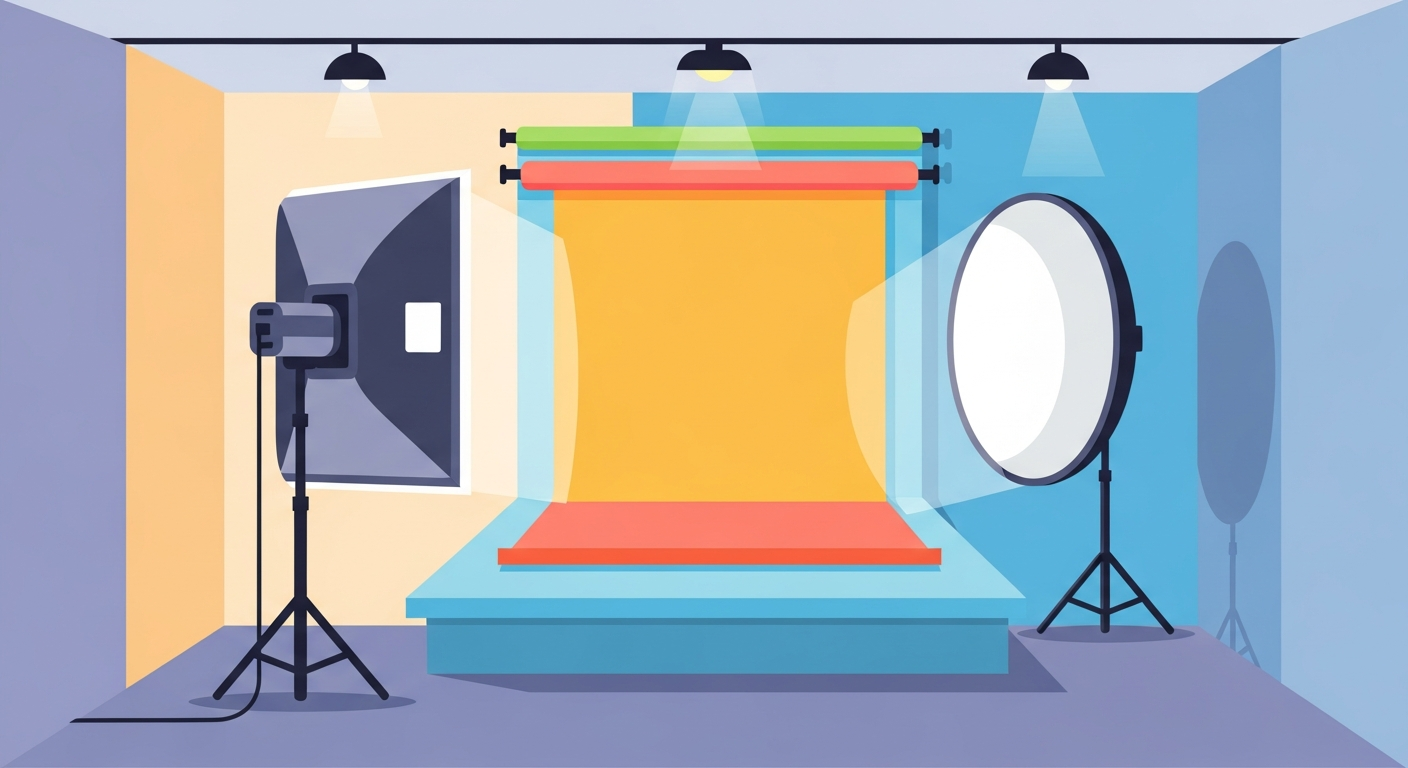
Second, lighting is the most critical element in product photography. Natural light is the best and cheapest option, especially indirect sunlight next to a large window. Avoid direct sunlight as it creates harsh shadows. If natural light isn't sufficient, you can invest in artificial light sources such as LED lamps, or a softbox, which diffuses light and makes it softer. The goal is to illuminate the product evenly and avoid harsh shadows that distort its appearance.
Third, backgrounds. Simple, non-distracting backgrounds are best. A white background is the most common and professional choice, as it highlights the product and makes it the center of attention. You can use a large white board, poster board, or white fabric. For some products, you might want to use wooden or neutral-colored backgrounds to add a certain mood, but always remember that the goal is to showcase the product, not compete with it for attention. Ensuring the background is clean and free of wrinkles or imperfections is paramount.
Professional Photography Techniques for Your Products
Once you have the essential equipment, it's time to learn some techniques that will help you capture professional photos that highlight the beauty of your products and attract customers. Photography is not just about pointing the camera and pressing a button; it's an art that requires an understanding of angles, lighting, and composition. Applying these techniques will make a significant difference in the quality of your photos and their attractiveness to your store's audience, whether on Zid, Salla, or Shopify.
First, shooting from multiple angles. Don't settle for just one photo of the product. Take pictures from the front, back, sides, and from above. Each angle reveals a different aspect of the product. For example, if you are selling a bag, take a picture of the bag open to show its interior capacity, another of the strap, and a third of the material it's made from. This provides the customer with a comprehensive and complete view of the product, reducing doubts and increasing the likelihood of purchase. Use this technique to offer a rich visual experience.
Second, focus on details (Macro Photography). Products often contain intricate details such as engravings, textures, or finishes that add to their value. Use your camera's macro mode (if available) or get close to the product to capture close-up shots that highlight these details. These photos give the customer a sense of the product's quality and its fine details that may not be apparent in general shots. It sends a message that your product is worth scrutiny and attention.
Third, lifestyle photography. Instead of just displaying the product on a white background, photograph it in a natural setting or in the context of its everyday use. For instance, if you're selling a coffee mug, photograph it being used on an elegant breakfast table. If you're selling clothes, photograph them on a mannequin or a model. This helps customers imagine themselves using the product, creating an emotional connection and increasing their desire to purchase. This technique is very effective in showcasing the product's value and applications.
Post-Processing and Image Optimization for Your Store
After taking the photos, the task is not over. The post-processing and image optimization stage is a crucial step to ensure your products look their best on your e-commerce store. This stage is not about altering the reality of the product, but rather improving its visual quality and removing any minor imperfections. It ensures that the images are consistent, clear, attractive, and suitable for display on platforms like Zid, Salla, and Shopify.
First, basic editing software. There are many programs you can use, ranging from free options like GIMP or your smartphone's built-in editing tools, to professional software like Adobe Photoshop and Lightroom. If you're looking for easier solutions, online editing tools like Canva or Fotor offer excellent options. Choose the software that suits your skill level and budget, and learn its basics well.
Second, essential adjustments. These adjustments include: cropping the image to remove excess space and focus on the product, rotating the image to adjust its alignment, adjusting brightness and contrast to make the image clearer and more vibrant, and adjusting color balance to ensure the product's colors appear as natural as possible. Do not over-edit; the goal is to enhance the image, not drastically alter it. The product the customer sees should be the same one they receive.
Third, background removal and image compression. Often, you may need to remove the background to achieve a clean white background. Editing software or dedicated online tools can do this. After that, it is essential to compress images to reduce file size without significantly affecting quality. Very large images slow down product page loading, negatively impacting user experience and your store's search engine ranking. You can refer to our comprehensive guide to product SEO: rank your store on Salla and Zid to understand the importance of optimizing images for search engines, as well as the article on store speed optimization: increase conversions on Salla and Zid which explains how loading speed affects customer experience.
Common Product Photography Mistakes to Avoid
Even with the best equipment and good intentions, many store owners fall into common mistakes that can diminish the appeal of their products and negatively impact their sales. Recognizing and avoiding these mistakes is a fundamental part of continuously improving the quality of your product images. Avoiding these simple blunders can make a significant difference in how customers perceive your products and your store as a whole, increasing your chances of success on platforms like Zid, Salla, and Shopify.
First, low-quality and blurry images. This is perhaps the biggest sin in product photography. Dull, unclear, or low-resolution images give a very poor impression of both the product and the store. Always ensure your images are clear, sharp, and high-resolution enough to show details. Use a tripod to avoid camera shake, and check the focus before taking the shot. Remember that the customer cannot touch the product, so the image must be as close as possible to the real product.
Second, poor lighting and harsh shadows. Insufficient lighting makes the product look dull and unattractive, while harsh lighting from a single source creates sharp shadows that can hide important details or distort the product's shape. Use multiple or diffused light sources (like a softbox) to provide even and soft illumination. Take advantage of natural light as much as possible, and avoid backlighting that makes the product appear dark. Good lighting is key to showcasing the product's true colors and appeal.
Third, distracting and unprofessional backgrounds. A cluttered background or one filled with elements unrelated to the product distracts the customer's attention from the product itself. Avoid using random home backgrounds or untidy offices. Stick to simple and clean backgrounds, such as pure white, or neutral colors. If you use a patterned background, make sure it is simple and does not compete with the product. Remember that the background should support the product, not compete with it. Before you decide Salla, Zid, and Shopify: Which is Best for Your Store?, ensure you are ready to deliver the best visual experience on whichever platform you choose.
Fourth, inconsistency in photography style. When you browse an online store and find that each product is photographed in a different style (different backgrounds, inconsistent lighting, varying angles), it gives an impression of unprofessionalism and chaos. Try to maintain a consistent photography style for all your products. Choose a specific background, fixed shooting angles, and a consistent lighting pattern. This not only gives your store a professional and polished look but also makes it easier for customers to browse and compare products. Visual consistency enhances your brand identity and increases your store's appeal.
Fifth, using only manufacturer's photos. While manufacturer photos may be high quality, they lack uniqueness and do not reflect your store's specific identity. Additionally, these photos may not show the product from all angles your customer desires. Photograph your own products, even if they are the same ones others sell. This gives you an opportunity to add your unique touch, showcase the product in a distinctive way, and build a unique relationship with your customers. Remember, uniqueness is key to standing out in the e-commerce world, and you can also significantly boost your sales by integrating convenient payment options preferred by customers, as detailed in the article Tabby and Tamara: How to Increase Your Store Sales on Salla and Zid, which also relies on product clarity and appeal.
Conclusion
In conclusion, product photography remains one of the most powerful tools available to e-commerce entrepreneurs for enhancing their stores' appeal and boosting their sales. Images are not just a visual representation of a product; they are your brand's ambassador, a means of building trust and credibility, and a primary catalyst for purchasing decisions. Whether you manage your store on Zid, Salla, or Shopify, investing in professional, high-quality images is not an option but an imperative for standing out in a highly competitive digital market. By applying the tips and techniques we've covered in this guide, you can transform your product images from mere snapshots into effective selling tools that attract customers and maximize your profits.
Always remember that the journey towards mastering product photography is an ongoing process of learning and experimentation. Don't be afraid to start with the equipment you have available, whether it's a smartphone camera or a simple lighting setup. The most important thing is to focus on details, understand the basics of lighting and composition, and avoid common mistakes. The more time and effort you invest in improving the quality of your images, the more positively you will see that reflected in your store's performance and increased conversion rates. Let your product images speak for themselves, telling the story of your products in the most beautiful and clearest ways possible.
Ultimately, good images not only sell products but also build an enjoyable and trustworthy shopping experience for your customers, contributing to solidifying your brand's position in their minds. Start today by implementing these tips and watch how your store's appeal transforms into a major attraction for customers, propelling you towards new levels of success and growth in the world of e-commerce. Continue to evolve, stay updated with the latest techniques, and let your images be the best testament to the quality of your products and the professionalism of your store.