



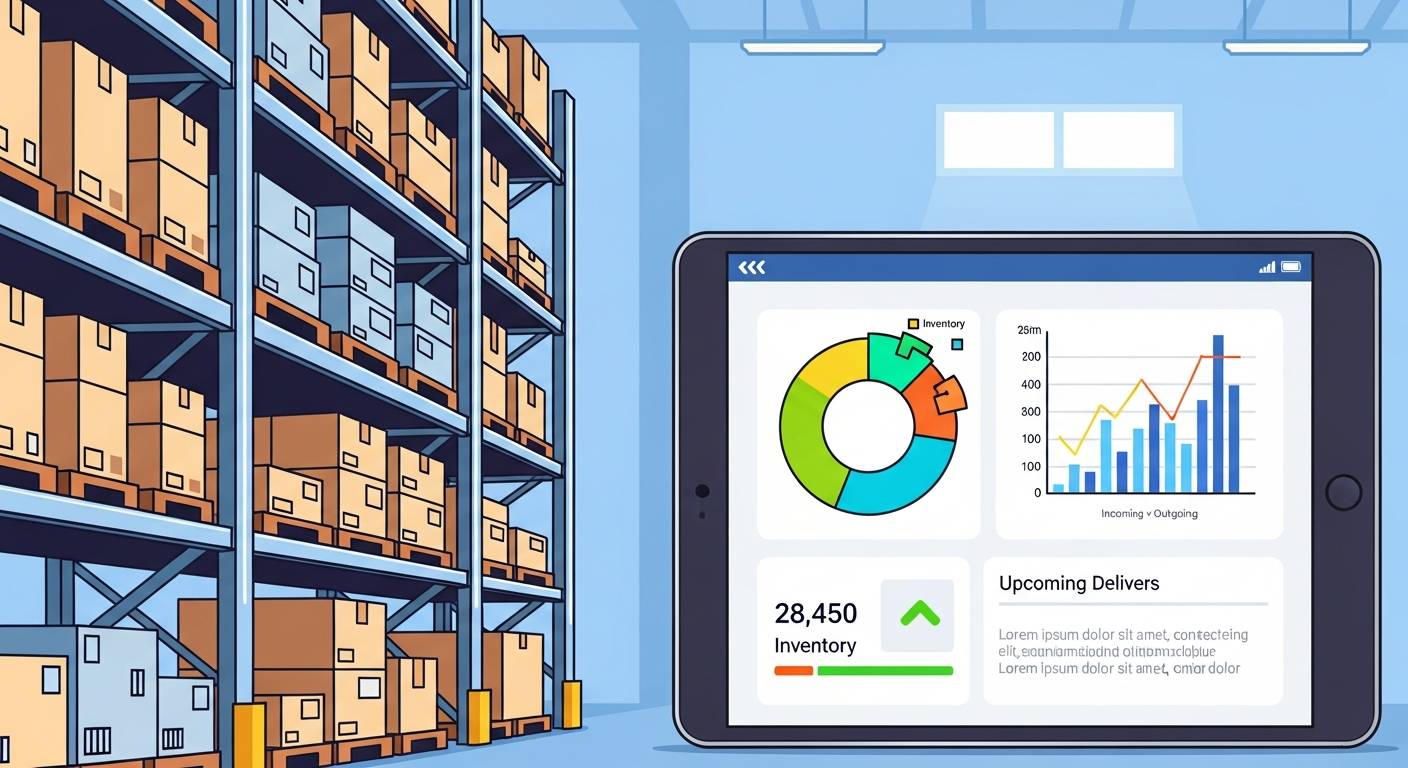
في عالم التجارة الإلكترونية المتسارع، غالباً ما ينصب تركيز أصحاب المتاجر على الواجهة الأمامية للمتجر، مثل التصميم الجذاب، وحملات التسويق المبهرة، واستقطاب الزوار. لكن الحقيقة التي يكتشفها الكثيرون لاحقاً هي أن النجاح الحقيقي والاستدامة يكمنان في الكواليس، وتحديداً في الإدارة الفعالة للمخزون. عندما يضغط العميل على زر الشراء، تبدأ رحلة التحدي الحقيقية؛ فإذا لم يكن المنتج متوفراً بالفعل في مستودعك، أو إذا قمت بشحن المنتج الخاطئ بسبب سوء التنظيم، فإن كل الجهود التسويقية ستذهب أدراج الرياح، وستتحول التجربة إلى تقييم سلبي يضر بسمعة علامتك التجارية. لذلك، تعتبر إدارة المخزون العمود الفقري لأي عمل تجاري ناجح، سواء كنت تدير مستودعاً ضخماً أو تحتفظ بمنتجاتك في غرفة صغيرة داخل منزلك.
منصات التجارة الإلكترونية الرائدة في العالم العربي، وتحديداً منصتي زد وسلة، تدرك تماماً هذه الأهمية البالغة. ولذلك، لم تكتفِ هذه المنصات بتوفير واجهات بيع ممتازة فحسب، بل طورت أنظمة خلفية قوية جداً تتيح للتاجر التحكم الكامل والدقيق في كل قطعة تدخل أو تخرج من متجره. من خلال لوحات التحكم المتقدمة في زد وسلة، يمكنك تتبع كميات المنتجات، تعيين تنبيهات عند انخفاض المخزون، وربط المنتجات بخياراتها المتعددة مثل المقاسات والألوان. هذا التطور التقني يضع بين يديك أدوات كانت في الماضي حكراً على الشركات الكبرى التي تمتلك أنظمة تخطيط موارد المؤسسات (ERP) باهظة الثمن، مما يمنحك ميزة تنافسية هائلة إذا أحسنت استخدامها.
في هذا الدليل الشامل والمفصل، سنغوص في أعماق إدارة المخزون، وسنستكشف معاً كيف يمكنك استغلال أدوات منصتي زد وسلة لتنظيم منتجاتك باحترافية عالية. سنتعلم كيفية تصنيف المنتجات، استخدام الرموز التعريفية، تجنب الأخطاء الكارثية التي يقع فيها المبتدئون، وكيفية تحويل مستودعك من مجرد مساحة تخزين عشوائية إلى آلة دقيقة تساهم في زيادة أرباحك وتقليل الهدر. إذا كنت ترغب في بناء متجر إلكتروني ينمو بثبات ويقدم تجربة عملاء استثنائية وخالية من الأخطاء، فإن إتقانك لما سيتم طرحه في هذا المقال هو خطوتك الأولى والأهم نحو تحقيق هذا الهدف الطموح.
أهمية إدارة المخزون لنجاح متجرك الإلكتروني
إدارة المخزون ليست مجرد عملية عد وترتيب للصناديق على الرفوف، بل هي إدارة مباشرة للسيولة النقدية الخاصة بمشروعك. كل قطعة منتج موجودة في مستودعك تمثل أموالاً مجمدة لا يمكنك الاستفادة منها في التسويق أو التطوير حتى يتم بيعها. عندما تبالغ في تخزين منتجات بطيئة الحركة، فإنك تخنق التدفق النقدي لمتجرك، وتزيد من تكاليف التخزين، وتعرض المنتجات لخطر التلف أو تقادم الموديلات. وفي المقابل، إذا كانت كميات المنتجات سريعة الحركة أقل من الطلب، فإنك تفقد مبيعات محققة وتدفع عملائك للذهاب إلى المنافسين. التوازن الدقيق بين العرض والطلب هو جوهر الإدارة الناجحة، وهو ما يضمن لك سيولة مالية صحية ومستمرة.
علاوة على الجانب المالي، تلعب إدارة المخزون دوراً حاسماً ومحورياً في تشكيل تجربة العميل. تخيل أن يقوم عميل بطلب منتج من متجرك، ويدفع قيمته، وينتظر وصوله بحماس، لتضطر لاحقاً للاتصال به والاعتذار لأن المنتج نفد من المخزن ولم يتم تحديث الكمية في الموقع. هذه التجربة السلبية لا تفقدك عملية البيع الحالية فحسب، بل تدمر ثقة العميل في علامتك التجارية للأبد، وقد تدفعه لكتابة مراجعات سلبية تؤثر على قرار مشترين آخرين محتملين. التنظيم الدقيق يضمن أن ما يراه العميل متاحاً على متجرك في زد أو سلة هو بالفعل موجود وجاهز للشحن الفوري، مما يعزز الموثوقية والاحترافية.
الربط الذكي بين المخزون واستراتيجيات التسعير يعتبر أيضاً من أهم فوائد الإدارة المنظمة. عندما تعرف بالضبط ما لديك من مخزون متراكم، يمكنك اتخاذ قرارات تسعيرية سريعة لعمل تصفيات وعروض ترويجية تتخلص بها من المنتجات البطيئة وتحولها إلى نقد. يمكنك الاطلاع على دليلنا حول تسعير المنتجات: كيف تزيد أرباح متجرك في زد وسلة لفهم كيف يمكن لبيانات المخزون أن توجه استراتيجيات التسعير الخاصة بك. المنصات الحديثة تتيح لك رؤية هذه البيانات بوضوح، مما يجعلك قادراً على اتخاذ قرارات مبنية على أرقام حقيقية وليست مجرد تخمينات، وهذا هو الفارق الحقيقي بين التاجر المحترف والهاوي.
استراتيجيات فعالة لتنظيم المنتجات في زد وسلة
الخطوة الأولى لتنظيم مخزونك بنجاح هي الاستفادة القصوى من الأدوات المدمجة التي توفرها لوحات التحكم في زد وسلة. هذه المنصات تتيح لك إدخال تفاصيل دقيقة لكل منتج، بما في ذلك الكمية الأساسية، والكميات الفرعية للخيارات المختلفة (مثل الألوان والمقاسات). من الضروري جداً تفعيل خاصية تتبع المخزون التلقائي، بحيث تقوم المنصة بخصم الكمية المباعة فور إتمام العميل لعملية الدفع. لا تعتمد أبداً على التحديث اليدوي للكميات، خاصة إذا كان متجرك يشهد حركة مبيعات نشطة، لأن التأخير لعدة ساعات قد يؤدي إلى بيع منتج غير متوفر، مما يخلق لك أزمات في خدمة العملاء أنت في غنى عنها.
الاستراتيجية الثانية تتمثل في تفعيل إشعارات انخفاض المخزون وضبط حد الأمان لكل منتج. حد الأمان أو (Safety Stock) هو الحد الأدنى من الكمية التي يجب أن تتوفر في مستودعك، وعند الوصول إليها، يرسل لك النظام في سلة أو زد تنبيهاً لتطلب كميات جديدة من المورد. تحديد هذا الرقم يعتمد على سرعة بيع المنتج والمدة التي يستغرقها المورد لتوفير كمية جديدة (Lead Time). إذا كان المورد يحتاج لأسبوعين لتوصيل البضاعة، وكنت تبيع 10 قطع يومياً، فإن حد الأمان يجب ألا يقل عن 140 قطعة. هذا التخطيط الاستباقي يضمن عدم توقف مبيعاتك لأي سبب.
أما الاستراتيجية الثالثة فهي تعتمد على التحليل المستمر لأداء المنتجات. يجب أن تقوم بتصنيف منتجاتك بناءً على سرعة دورانها وحجم المبيعات. المنتجات الأكثر مبيعاً (Best Sellers) يجب أن توضع في أماكن يسهل الوصول إليها في مستودعك لتسريع عملية التجهيز والتغليف، ويجب أن تحظى بأولوية قصوى في ميزانية المشتريات. للمزيد حول كيفية قراءة هذه المؤشرات بدقة، ننصحك بالرجوع إلى مقالنا عن تحليل البيانات: كيف تقرأ تقارير متجرك في سلة وزد، حيث ستتعلم كيف تستخرج تقارير المخزون التي توضح لك المنتجات التي تحقق أعلى عائد مقارنة بالمنتجات الراكدة التي تحتاج إلى تدخل سريع.
تصنيف المنتجات واستخدام الرموز التعريفية SKU
رمز حفظ المخزون أو ما يُعرف اختصاراً بـ (SKU - Stock Keeping Unit) هو حجر الزاوية في أي نظام احترافي لإدارة المخزون. هو عبارة عن كود فريد يتكون من حروف وأرقام تضعه أنت لتمييز كل منتج وكل خيار من خياراته بشكل دقيق. في منصتي زد وسلة، يوجد حقل مخصص للـ SKU عند إضافة أي منتج جديد. أهمية هذا الرمز تكمن في أنه يمنع الخلط بين المنتجات المتشابهة. على سبيل المثال، إذا كنت تبيع قمصاناً، فإن القميص الأزرق مقاس كبير يجب أن يحمل رمزاً مختلفاً تماماً عن القميص الأزرق مقاس متوسط، وهذا يسهل عملية البحث والجرد بشكل لا يصدق.
لبناء نظام SKU ناجح وفعال لمتجرك، يجب أن يكون الرمز منطقياً ومقروءاً لفريق العمل، وليس مجرد أرقام عشوائية. ابدأ دائماً باختصار لاسم العلامة التجارية، ثم الفئة، ثم اللون، ثم المقاس. مثلاً، إذا كنت تبيع حذاء رياضي من ماركة نايك، لونه أسود، ومقاسه 42، يمكن أن يكون الرمز (NK-SH-BLK-42). هذا التسلسل الهرمي يجعل من السهل على موظف المستودع قراءة الكود وفهم المنتج المطلوب بمجرد النظر إليه دون الحاجة لرؤية صورة المنتج. تطبيق هذه المنهجية في سلة وزد سيقلل من أخطاء الشحن بنسبة تقارب الصفر.
إلى جانب الـ SKU، يجب استخدام أدوات التصنيف (Categories) والوسوم (Tags) المتوفرة في المنصات لربط المنتجات ببعضها رقمياً. هذا لا يساعد فقط العميل في تصفح الموقع، بل يساعدك أنت في تصفية المنتجات في لوحة التحكم عند الرغبة في جرد قسم معين أو تعديل أسعاره. النظام المترابط يجعل إدارة آلاف المنتجات أمراً ممكناً وسلساً. إليك بعض النصائح لإنشاء رموز تعريفية احترافية:
- تجنب الحروف الغامضة: لا تستخدم الحروف التي تشبه الأرقام مثل حرف (O) الذي يشبه الصفر (0)، أو حرف (I) الذي يشبه الرقم (1)، لمنع الارتباك أثناء القراءة السريعة.
- حافظ على قصر الرمز: حاول ألا يتجاوز طول الرمز التعريفي 10 إلى 12 خانة، فالرموز الطويلة جداً تكون صعبة القراءة وتزيد من احتمالية الخطأ البشري.
- استخدم نظاماً ثابتاً: بمجرد تحديد طريقة معينة لكتابة الرموز (مثلاً: الماركة ثم اللون ثم المقاس)، التزم بها في جميع منتجات المتجر الحالية والمستقبلية لضمان التناسق.
- لا تستخدم الرموز الخاصة: تجنب استخدام الرموز مثل (@, #, %) في بناء الـ SKU، واكتفِ بالحروف الإنجليزية، الأرقام، والشرطة العادية (-) أو السفلية (_).
التعامل مع المنتجات الموسمية وتجهيز الطلبات
التحدي الأكبر في إدارة المخزون يظهر جلياً خلال المواسم وأوقات الذروة مثل شهر رمضان، الأعياد، وعروض البلاك فرايداي. في هذه الفترات، يتضاعف الطلب بشكل مفاجئ، وإذا لم تكن مستعداً بمخزون كافٍ، ستخسر فرصة ذهبية لمضاعفة أرباحك. في المقابل، التهور في شراء كميات ضخمة من المنتجات الموسمية قد يتركك مع مخزون ميت بعد انتهاء الموسم. الحل يكمن في تحليل بيانات مبيعات المواسم السابقة من خلال تقارير زد وسلة، والتنبؤ بالطلب المستقبلي بناءً على معدلات النمو الحالية لمتجرك، مع إضافة هامش أمان منطقي لتغطية أي طلبات غير متوقعة.
عملية تجهيز الطلبات (Fulfillment) ترتبط ارتباطاً وثيقاً بكيفية ترتيب المخزون داخل مساحة التخزين الخاصة بك. يجب أن تعتمد استراتيجية تخزين تسهل على الموظف جمع المنتجات بأقل مجهود ووقت. المنتجات التي تُباع معاً بشكل متكرر يجب تخزينها بالقرب من بعضها. بالإضافة إلى ذلك، يجب تحديث حالة الطلبات في منصة سلة أو زد بشكل فوري أثناء التجهيز (من "بانتظار المراجعة" إلى "قيد التنفيذ" ثم "جاهز للشحن"). هذا التسلسل يضمن عدم تجهيز نفس الطلب مرتين، ويُبقي العميل على اطلاع دائم بحالة طلبه مما يقلل من الضغط على خدمة العملاء.
أخيراً، لا يمكن أن تكتمل دورة المخزون الناجحة دون التكامل السلس مع شركات التوصيل. المخزون المجهز بدقة يحتاج إلى شريك شحن موثوق لاستلامه وتوصيله للعميل النهائي بأمان. اختيار شركة الشحن التي تتوافق مع نوع منتجاتك وتوفر ربطاً تقنياً ممتازاً مع منصتك هو أمر بالغ الأهمية. لمعرفة المزيد حول هذا الجانب الحيوي، يمكنك قراءة مقالنا المفصل بعنوان شركات الشحن: دليلك لاختيار الأفضل في زد وسلة، والذي سيساعدك في إكمال حلقة سلسلة التوريد الخاصة بك بكفاءة عالية واحترافية تامة تضمن رضا العملاء.
أخطاء شائعة في إدارة المخزون وكيفية تجنبها
من أكثر الأخطاء الكارثية التي يقع فيها أصحاب المتاجر الإلكترونية المبتدئين هي عقلية "الضبط والنسيان" (Set it and forget it). يعتقد التاجر أنه بمجرد إدخال كميات المنتجات لأول مرة في منصة زد أو سلة، فإن النظام سيتكفل بالباقي إلى الأبد. الحقيقة هي أن أخطاء الجرد البشري، المنتجات التالفة، أو المرتجعات غير المسجلة تخلق فجوة تدريجية بين الرقم الموجود في النظام والكمية الفعلية على الرف. لتجنب ذلك، يجب إجراء دورات جرد دورية (Cycle Counting)، وهي عملية جرد لجزء صغير من المخزون أسبوعياً أو شهرياً لمطابقته مع النظام، بدلاً من إغلاق المتجر لعدة أيام لإجراء جرد شامل في نهاية العام.
الخطأ الشائع الثاني هو الاعتماد الكلي على ملفات الإكسل (Excel) لإدارة مخزون متجر إلكتروني نشط. رغم أن جداول البيانات مفيدة في البدايات، إلا أنها تصبح عاجزة ومصدراً للأخطاء بمجرد زيادة عدد الطلبات وتعدد قنوات البيع. نسيان تحديث خلية واحدة في الإكسل قد يؤدي إلى كارثة. منصات مثل سلة وزد توفر لك نظاماً مركزياً يحدث نفسه تلقائياً مع كل عملية بيع، وتوفر تطبيقات للهواتف الذكية تتيح لك مسح الباركود بالكاميرا لتحديث المخزون فوراً. الترقية إلى استخدام أدوات المنصة المدمجة بشكل كامل هو استثمار حقيقي في وقتك وجهدك ويحميك من الأخطاء البشرية المكلفة.
التجاهل التام لسياسة المرتجعات وكيفية إعادتها للمخزون هو خطأ استراتيجي يسبب فوضى عارمة. عندما يعود منتج من عميل، يجب أن يمر بعملية فحص دقيقة للتحقق من جودته قبل إضافته مجدداً إلى الرصيد المتاح للبيع في لوحة التحكم. إرجاع المنتجات التالفة عن طريق الخطأ للمخزون القابل للبيع يعني إرسالها لعميل آخر، مما يضاعف المشكلة. لتجنب هذه الأخطاء وبناء نظام محكم، اتبع هذه الخطوات العملية بصرامة:
- تخصيص منطقة للمرتجعات: حدد مساحة مادية معزولة في مستودعك لاستقبال المرتجعات، ولا تقم بدمجها مع المخزون الأساسي إلا بعد فحصها وتأكيد صلاحيتها للبيع.
- تدريب فريق العمل: تأكد من أن كل شخص يتعامل مع المخزون يفهم كيفية استخدام لوحة تحكم زد أو سلة لتحديث الكميات، وكيفية قراءة رموز SKU بشكل صحيح.
- التعامل السريع مع المخزون الميت: قم بمراجعة تقارير المنتجات الراكدة كل 3 أشهر، وضع خطة فورية للتخلص منها سواء عبر الخصومات القوية أو الهدايا المجانية لتفريغ مساحة التخزين.
- التدقيق المزدوج قبل الشحن: طبق قاعدة الفحص المزدوج، حيث يقوم موظف بتجهيز الطلب، ويقوم موظف آخر أو نظام الباركود بالتأكد من مطابقة المنتجات للطلب قبل إغلاق الصندوق.
- تحديث المخزون فور الاستلام: عند استلام بضاعة جديدة من المورد، يجب إدخالها في النظام مباشرة في نفس اليوم، التأخير يؤدي إلى فقدان مسار الكميات الحقيقية.
الخاتمة: ملخص شامل لرحلتك في إدارة المخزون
في ختام هذا الدليل الشامل، يجب أن نؤكد مجدداً على أن إدارة المخزون ليست مهمة هامشية أو عبئاً إدارياً يمكن تأجيله، بل هي القلب النابض لمتجرك الإلكتروني. التنظيم الدقيق للمنتجات هو ما يضمن لك تدفقاً نقدياً مستقراً، ويحميك من الخسائر الخفية الناتجة عن تلف المنتجات أو ركودها. لقد استعرضنا كيف أن الفهم العميق لحركة مخزونك يؤثر بشكل مباشر على قراراتك التسويقية والتسعيرية، وكيف يمكن لخطأ بسيط في الجرد أن يدمر ثقة العميل التي بنيتها بصعوبة. الاستثمار في تنظيم مستودعك هو استثمار مباشر في نمو أرباحك واستدامة مشروعك التجاري.
لقد قدمت لك منصتي زد وسلة بنية تحتية تقنية متطورة جداً، قادرة على استيعاب وإدارة أعقد العمليات المخزنية بكل سلاسة. من خلال الاستخدام الصحيح للرموز التعريفية (SKU)، وتفعيل التنبيهات الآلية لانخفاض المخزون، والاعتماد على التقارير التحليلية الدقيقة، يمكنك تحويل إدارة المنتجات من كابوس يومي إلى عملية روتينية منظمة ومؤتمتة. التقنية موجودة ومتاحة بين يديك، وكل ما تحتاجه هو تطبيق المنهجيات والاستراتيجيات التي ذكرناها في هذا المقال والالتزام بها بشكل يومي ومستمر.
الآن، حان وقت العمل الميداني. افتح لوحة تحكم متجرك في سلة أو زد، وابدأ بمراجعة هيكلة منتجاتك. هل تمتلك جميع المنتجات رموز SKU واضحة؟ هل كميات المخزون في النظام تطابق الواقع الفعلي في مستودعك؟ ابدأ بإجراء التعديلات اللازمة خطوة بخطوة، ونظم مساحة التخزين الخاصة بك لتكون أكثر كفاءة. تذكر دائماً أن المتجر الإلكتروني الناجح ليس هو الذي يمتلك أجمل تصميم فقط، بل هو المتجر الذي يفي بوعوده لعملائه، ويوصل المنتجات الصحيحة في الوقت الصحيح، وهذا لا يتحقق إلا من خلال إدارة مخزون احترافية وصارمة.