



Statistics indicate that the average shopping cart abandonment rate in e-commerce stores reaches 70%, which means the majority of potential customers leave your store without completing the purchase process after adding products to their cart.
This represents a significant opportunity for optimization, as reducing the cart abandonment rate can lead to a substantial increase in sales without the need to drive more traffic to your store.

Why Do Customers Abandon Their Carts?
Before starting to optimize your cart and checkout pages, it is important to understand the common reasons that drive shoppers to abandon their purchases:
- Unexpected extra costs: Such as shipping, taxes, or additional fees.
- Requirement to create an account: Lack of a guest checkout option.
- Long and complex checkout process: Too many steps or requesting unnecessary information.
- Security concerns: Lack of trust in your site's security or payment methods.
- Lack of preferred payment methods: Limited available payment options.
- Technical errors: Website or checkout page issues that prevent completing the transaction.
- Unclear return policy: Lack of clarity regarding the return policy or warranty.
Optimizing the Cart Page
1. Clear and Simple Design
The cart page should be user-friendly and free of distracting elements:
- Use a clean design with ample white space.
- Make the next steps clear and prominent.
- Use eye-catching and distinct Call to Action (CTA) buttons.
- Add a progress bar showing the user where they are in the purchasing process.
2. Comprehensive Product Information
Provide sufficient information about the products in the cart to reduce the need to return to product pages:
- Display a clear product image.
- Full product name and a brief description.
- Selected options (color, size, etc.).
- Price and quantity.
- Product availability and expected delivery date.
3. Cart Modification Options
Make it easy for customers to modify their cart without having to start shopping all over again:
- Ability to change the quantity directly from the cart.
- A clear delete button to remove products.
- Ability to save products for later purchase.
- Ability to change options (color, size, etc.) directly from the cart.
4. Cost Transparency
Display all costs clearly from the beginning to avoid unpleasant surprises:
- Show shipping costs on the product page and cart page.
- Provide a shipping cost calculator based on the address.
- Clearly display taxes and additional fees.
- Present the total order cost clearly and prominently.
A seamless experience on the cart and checkout pages means the difference between a satisfied customer who completes the purchase and a frustrated customer who leaves without buying.
Optimizing the Checkout Process
1. Simplifying the Checkout Process
The simpler and faster the checkout process, the higher the likelihood of completing the transaction:
- Reduce the number of steps required to complete the purchase.
- Use a single form with clear sections instead of multiple pages.
- Only ask for the information necessary to complete the transaction.
- Use form autofill features.
- Remember registered customers' information to facilitate future purchases.
2. Providing a Guest Checkout Option
Do not force customers to create an account to complete a purchase:
- Clearly offer a "Guest Checkout" option.
- Highlight the benefits of creating an account without forcing the user.
- Suggest creating an account after the purchase is complete.
3. Diversifying Payment Methods
The more payment options available, the higher the chance a customer will complete the purchase:
- Credit and debit cards.
- Digital wallets like Apple Pay and PayPal.
- Popular local payment services like Mada in Saudi Arabia.
- Cash on Delivery (COD) options if possible.
- Installment payment options like "Buy Now, Pay Later" (BNPL).
4. Enhancing Security and Trust
Reassuring customers that their information is secure increases their trust and willingness to complete the purchase:
- Use SSL certificates and clearly display security badges.
- Display logos of accepted payment methods.
- Add customer testimonials and reviews about the shopping experience.
- Offer clear guarantees such as a "30-day money-back guarantee."
5. Using Notifications and Reminders
A portion of customers who abandoned their carts can be recovered through notifications:
- Send reminder emails to registered customers.
- Use exit-intent popups when they attempt to leave the page.
- Offer incentives like a discount or free shipping to complete the purchase.
6. Improving Checkout Page Load Speed
Slow pages increase the likelihood of customers abandoning the purchase process:
- Optimize the performance of cart and checkout pages.
- Reduce the number of unnecessary elements and images.
- Use reliable and fast hosting.
Mobile Compatibility
With the rise of smartphone shopping, it is essential to optimize the cart and checkout experience for mobile devices:
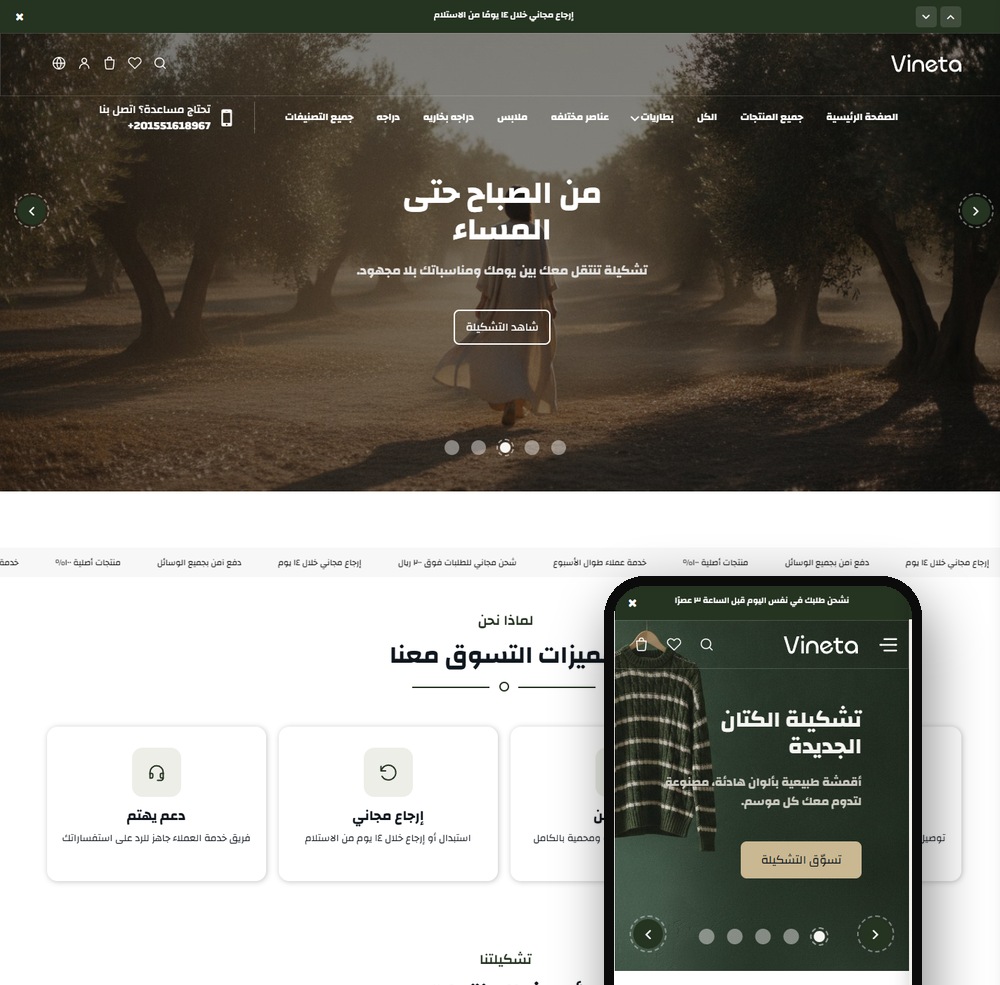
- Use a responsive design that works well on all screen sizes.
- Simplify forms for mobile devices with customized keyboards (numeric for phone numbers, email for email addresses).
- Enlarge Call to Action buttons to make them easier to tap.
- Minimize the need for scrolling and zooming.
Continuous Testing and Optimization
Optimizing cart and checkout pages is an ongoing process that requires testing and tweaking:
- Use A/B testing to compare different designs and elements.
- Track cart abandonment rates and exit points to identify issues.
- Collect customer feedback on the shopping experience.
- Monitor user behavior using tools like heatmaps and session recordings.
Ultimately, optimizing your cart and checkout pages is an investment that can lead to a significant increase in conversion rates and sales. By simplifying the process, building trust, and offering flexible options, you can reduce cart abandonment and turn more visitors into satisfied customers.